

Description

DOCX Report Studio
Your letters, contracts and forms stay in Word. Write [[Customer Name]]
where a value goes, link each marker to a field, and print the document from the Print menu of any model,
as Word or PDF. No QWeb, no developer.

Any model
Contacts, quotations, invoices, employees, or your own custom models: pick the model, upload the Word file, and the report prints from that model’s Print menu.
Readable markers
Markers are plain words in double brackets. The upload finds them all; map each one to a field or a field path (Country > Country Name) with a field picker.
Tables, conditions, images
Repeat a table row for order lines or contacts, show a paragraph only when a field has a value, and place images: logos, photos and QR codes.
Studio editor
Select text on the page to make it a marker, mark table rows to repeat, add headers and footers, and switch between Design, Preview with a real record and As in Word.
Word or PDF
Print as .docx to edit further, or as PDF. Several records at once, cards layouts (several per page), and optional saving of the printed file in the record’s attachments.
Safe to change
Draft and Published states, versions you can restore, a test document from any record before publishing, and a Designer access group for who may edit reports.
From Word file to Print menu
Upload, map, check, publish.
1. Upload the Word file: every marker is found

2. Map what is left: unmapped markers are flagged

3. Design in the Studio: fields, conditions and images on the page

Preview with any record before you publish
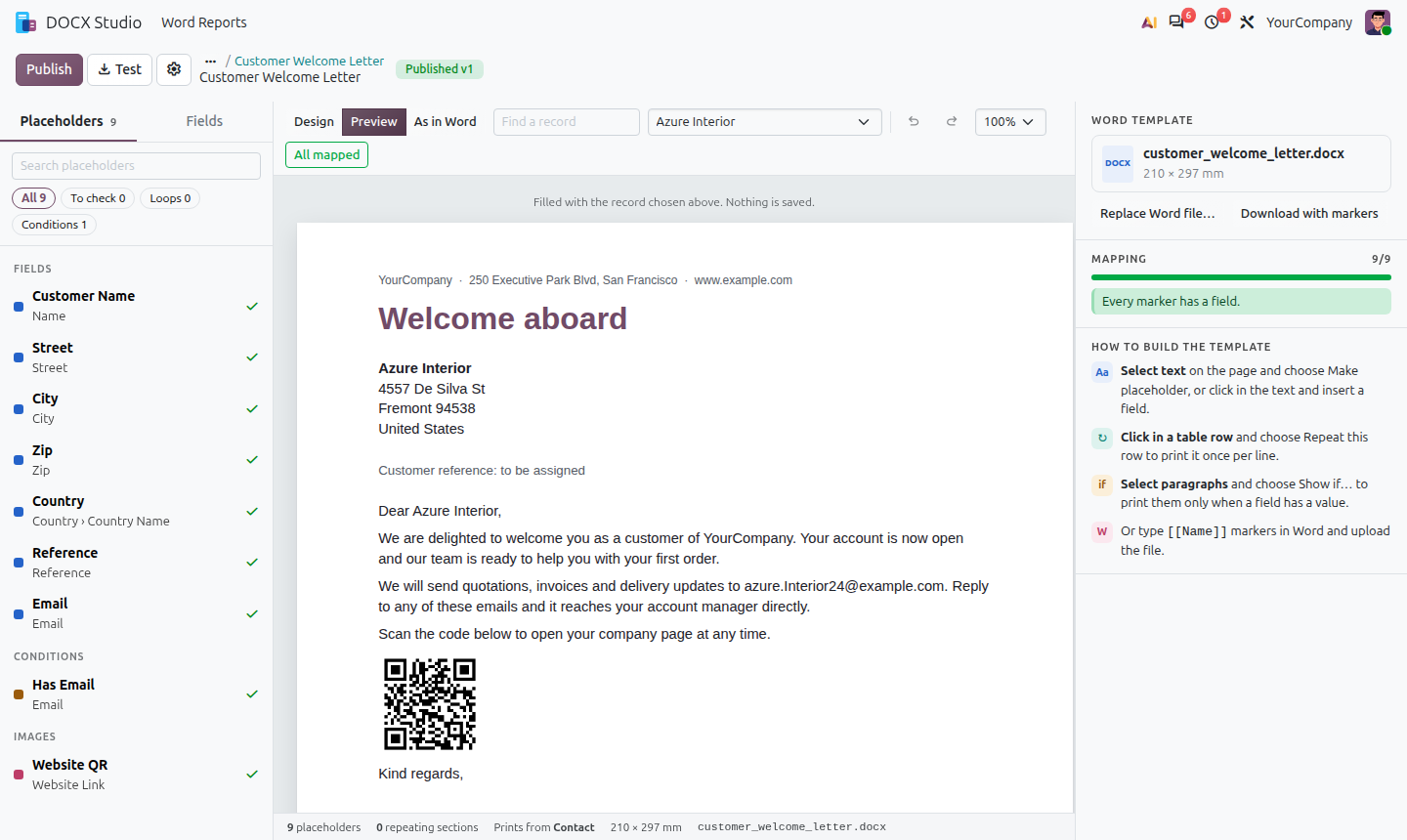
As in Word: repeating table rows for related records

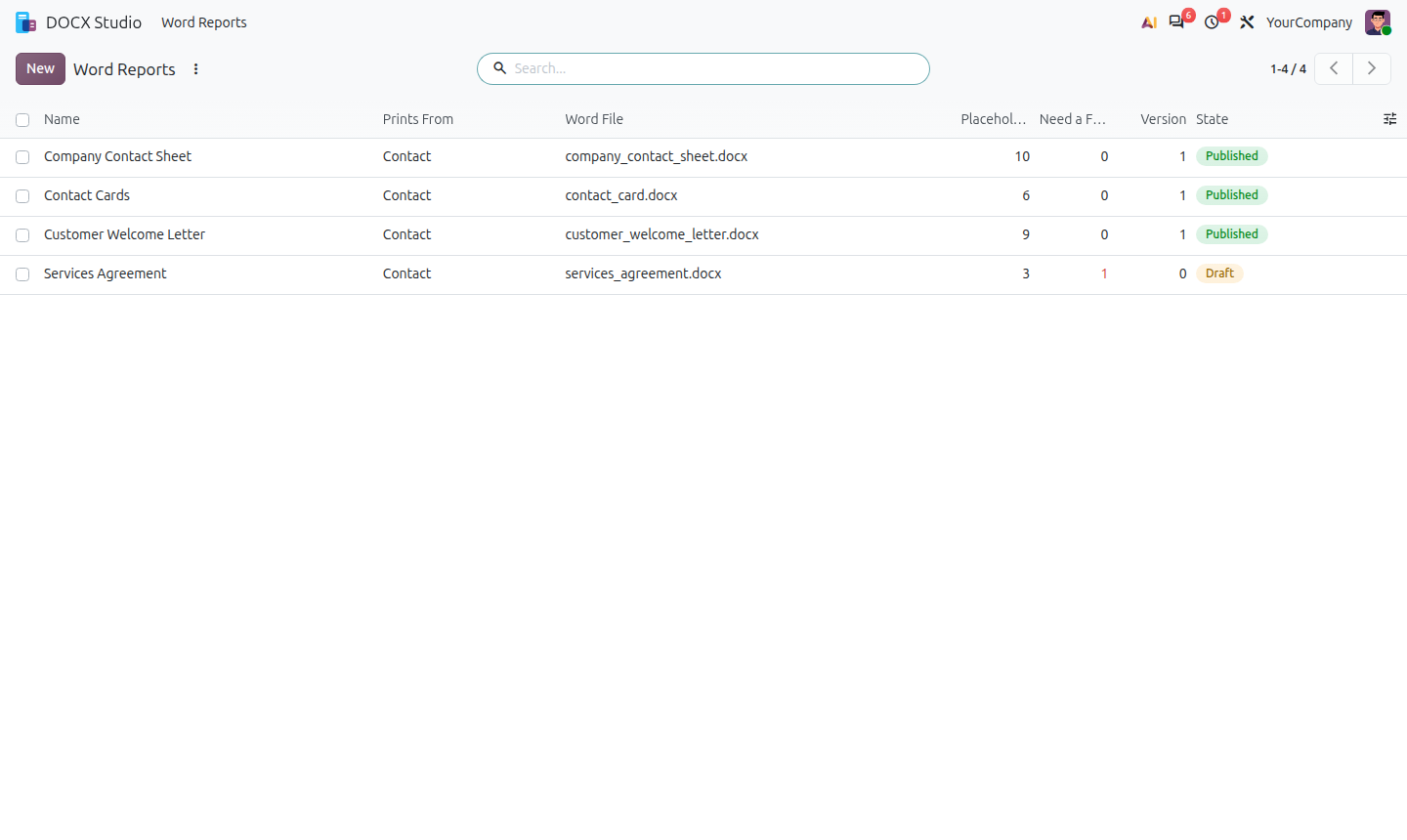
4. Publish: the report shows in the Print menu of its model
Requirements
- Odoo 18, 19 and 20, Community and Enterprise. Depends only on Base, Web and Discuss.
- Python libraries:
python-docx,docxtpl,num2words,qrcode(pip install python-docx docxtpl num2words qrcode). - PDF output uses wkhtmltopdf, the PDF engine Odoo already uses, or LibreOffice when it is installed on the server.
Questions or a demo? Contact APPSGATE at www.appsgate.ae or email info@appsgate.ae.


Reviews
There are no reviews yet.