
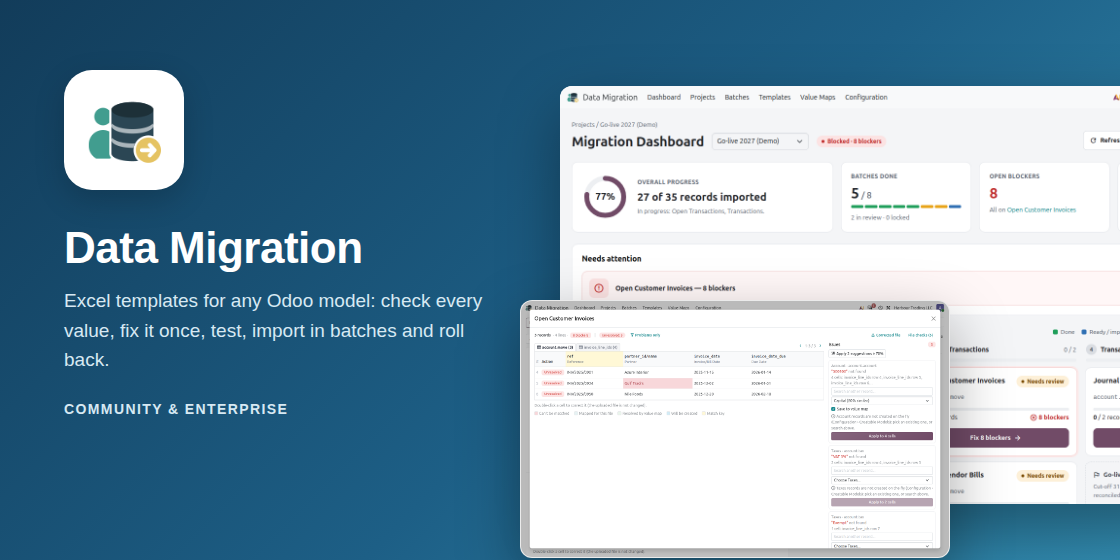
Description

Data Migration Tool
Move legacy data into any Odoo model with Excel templates. Every value is checked before anything is
written, fixes are remembered, a test run shows the result, and imports run in batches you can roll back.

Any model, no code
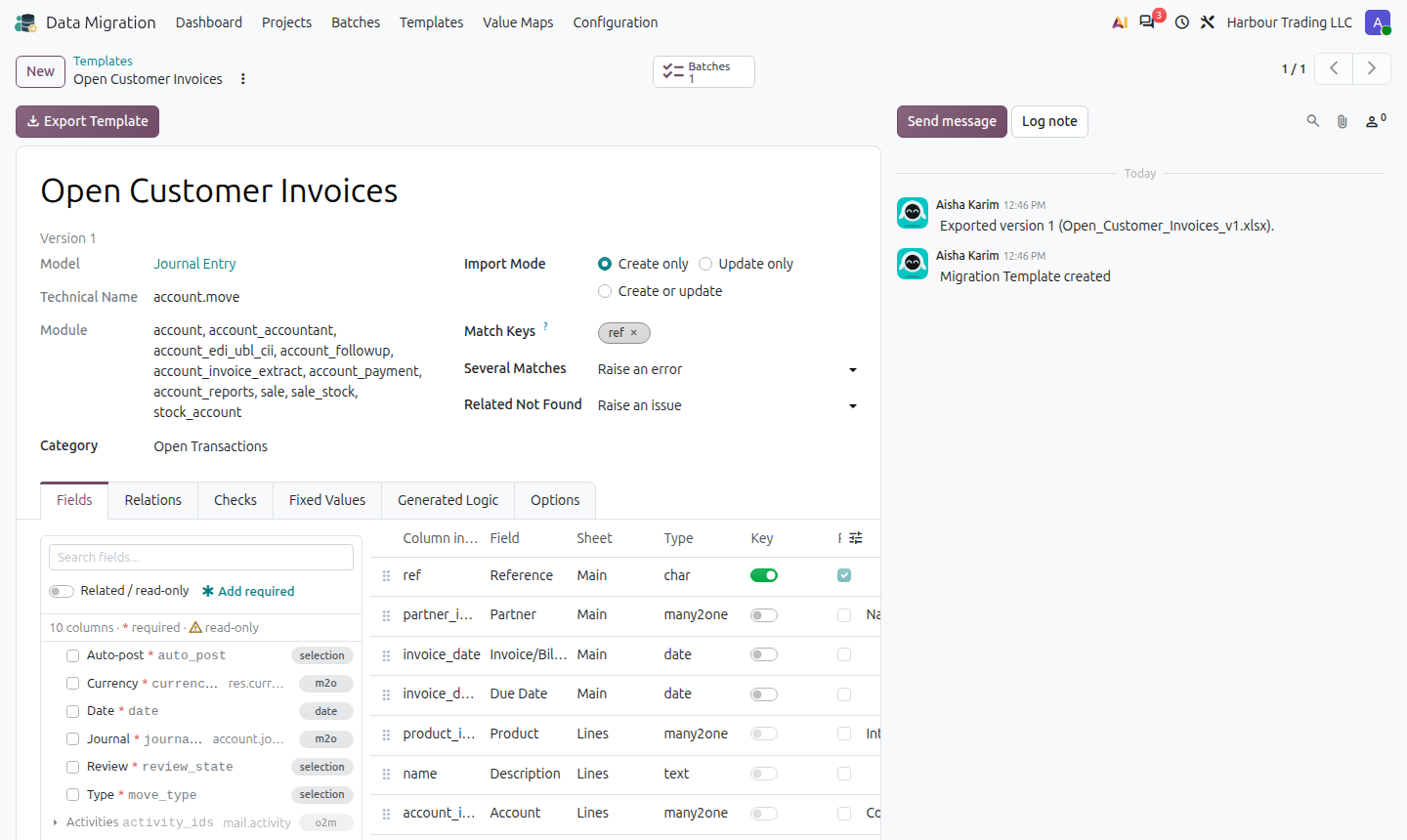
Templates are built from the model’s own fields: standard, Enterprise or custom. Pick the columns, the match keys and how related records are found (by name, code, reference…).
Excel in, Excel out
The exported workbook has technical headers, lookup lists and lines sheets for one-to-many data (invoice lines, journal items). The client fills it, you upload it.
Check before import
Every related value is resolved. Unknown values are grouped with suggestions; fix each one once for all cells, correct cells in the grid, and download the corrected file.
Value maps
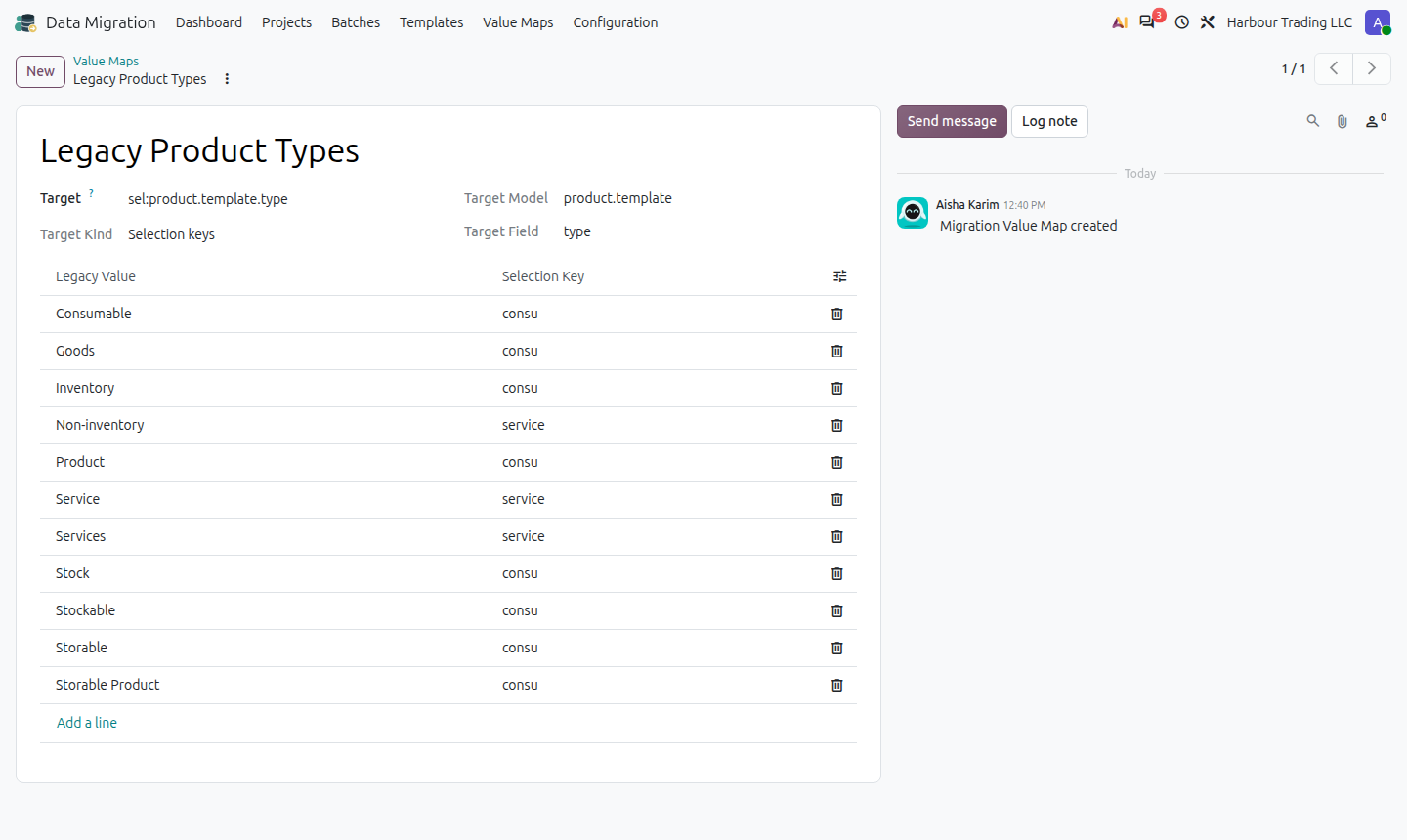
Legacy value to Odoo record or selection key (“KSA” to Saudi Arabia, “Storable” to Goods). Fixes can be saved to a map and are reused by every later file.
Test, import, roll back
A test run writes nothing and shows what would be created, updated or skipped. Import in record batches, post entries on the way, and roll back any run.
Projects and go-live
Projects with phases (master data, opening balances, open transactions) and batch dependencies, a dashboard with blockers and cut-off, and a reconciliation of file against Odoo.
From legacy file to go-live
Template, export, upload and check, fix, test, import, reconcile.
Migration dashboard: progress, blockers and the next step of every batch

Batches by phase, locked until their dependencies are imported

Template builder from the model’s fields
Uploaded file checked: blockers per row and cell
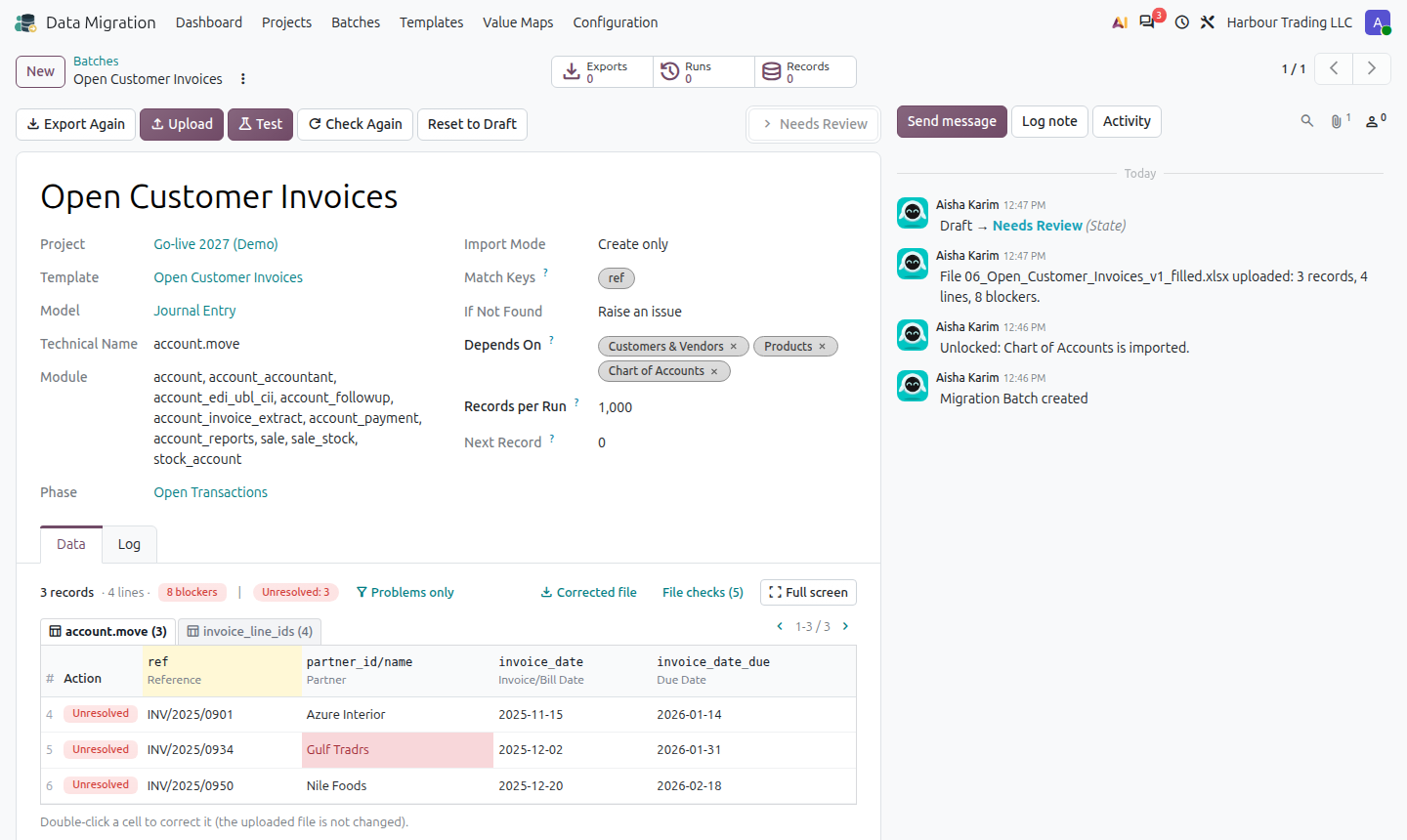
Fix each unknown value once, with suggestions

Imported, then reconciled against Odoo
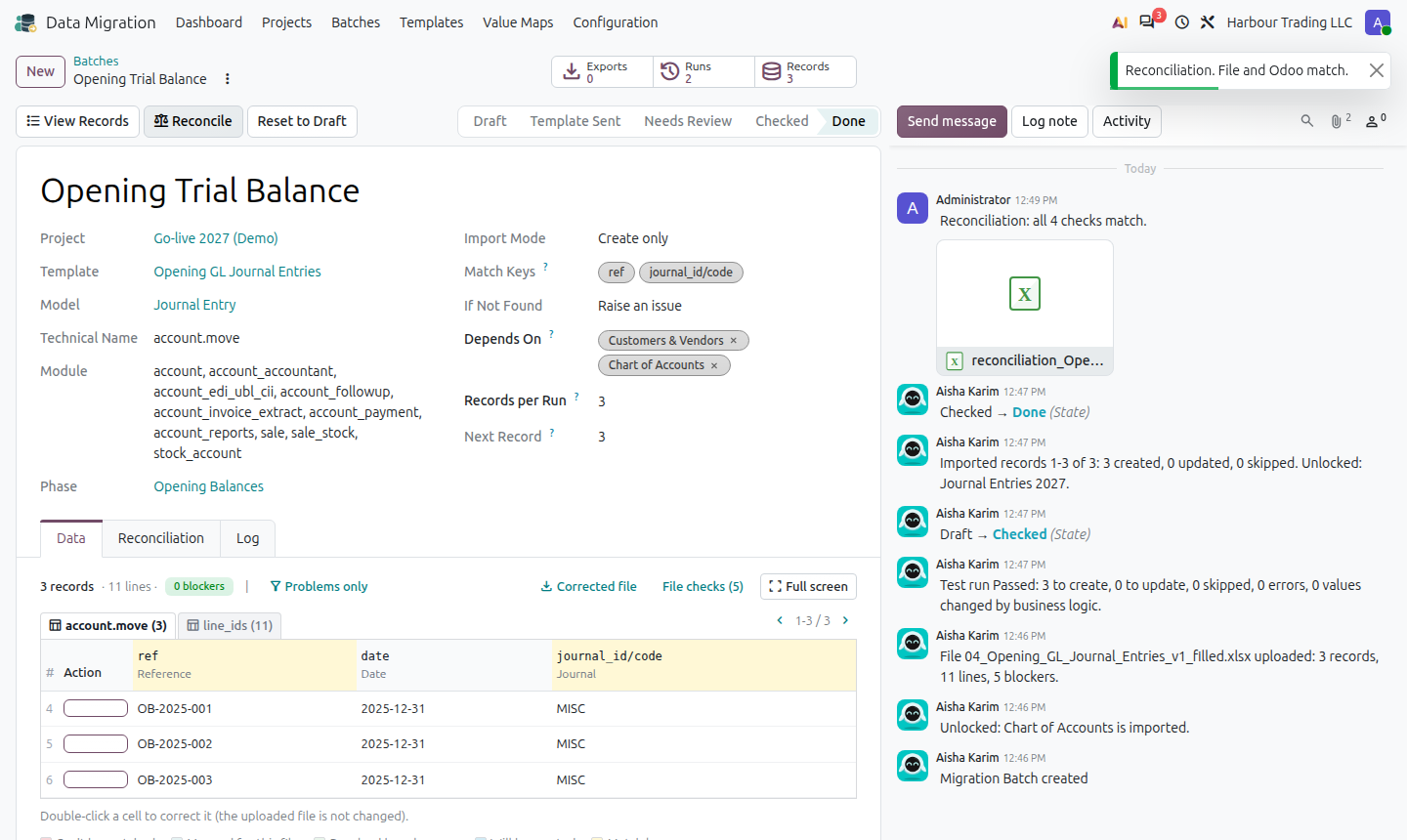
Every test and import run logged, each one can be rolled back

Value maps
Old systems spell things their own way. Map each legacy value to an Odoo record or selection key once,
and every later file of every batch uses the map. Fixes made while checking a file can be saved to a map
with one tick.
Included
| Data Migration Tool (this module) | Projects, phases, templates, batches, check and fix, value maps, test and import runs, roll back, reconciliation, dashboard. |
| Data Migration Tool – Preset Library | Tested templates and value maps for the standard apps: contacts, products, chart of accounts, opening balances, stock on hand, open invoices and bills, employees. Created only for the apps installed. |
Odoo 18, 19 and 20, Community and Enterprise. Depends only on Base, Discuss and Web. Multi-company.
Questions or a demo? Contact APPSGATE at www.appsgate.ae or email info@appsgate.ae.




Reviews
There are no reviews yet.