

Description

Document Compliance
Collect, read, check and approve the documents your customers, vendors and employees must keep valid:
trade licences, VAT certificates, insurance, Emirates IDs, passports, visas, driving licences and more.
Odoo reminds them before anything expires.
Odoo 20 · 19 · 18 | English and Arabic | Community and Enterprise
Read automatically
PDFs, scans and phone photos are read on your server (Tesseract, English and Arabic). The number and dates fill themselves in.
Checked before approval
Expired, wrong document, name mismatch, missing data, unreadable photo: each has its own rule: reject, hold for review or accept with a warning.
Never expire unnoticed
Reminders 90, 60, 30, 14 and 7 days before expiry, an escalation when nobody renews, and the current version stays valid until the new one is approved.
A portal of its own
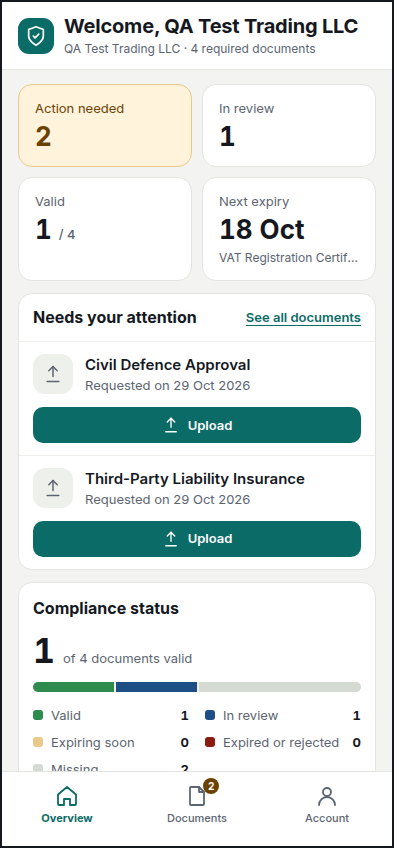
Owners upload from a separate, responsive app in your brand colour and logo, on a phone or a laptop, in English or Arabic.
How it works
Request
Tag a contact as Vendor or hire an employee: the required documents are requested by email. Or request them in bulk.
Upload
The owner chooses a file or takes a photo on the portal. The details are read and filled in; the owner only checks them.
Validate
Each version gets a validation report: type, owner name, dates, confidence of the reading, against the rules of its category.
Approve
Reviewers approve or reject with a reason. Approved versions are filed in the Odoo Documents app.
Renew
Reminders before expiry, escalation after, and the cycle starts again with version 2.
In the back office
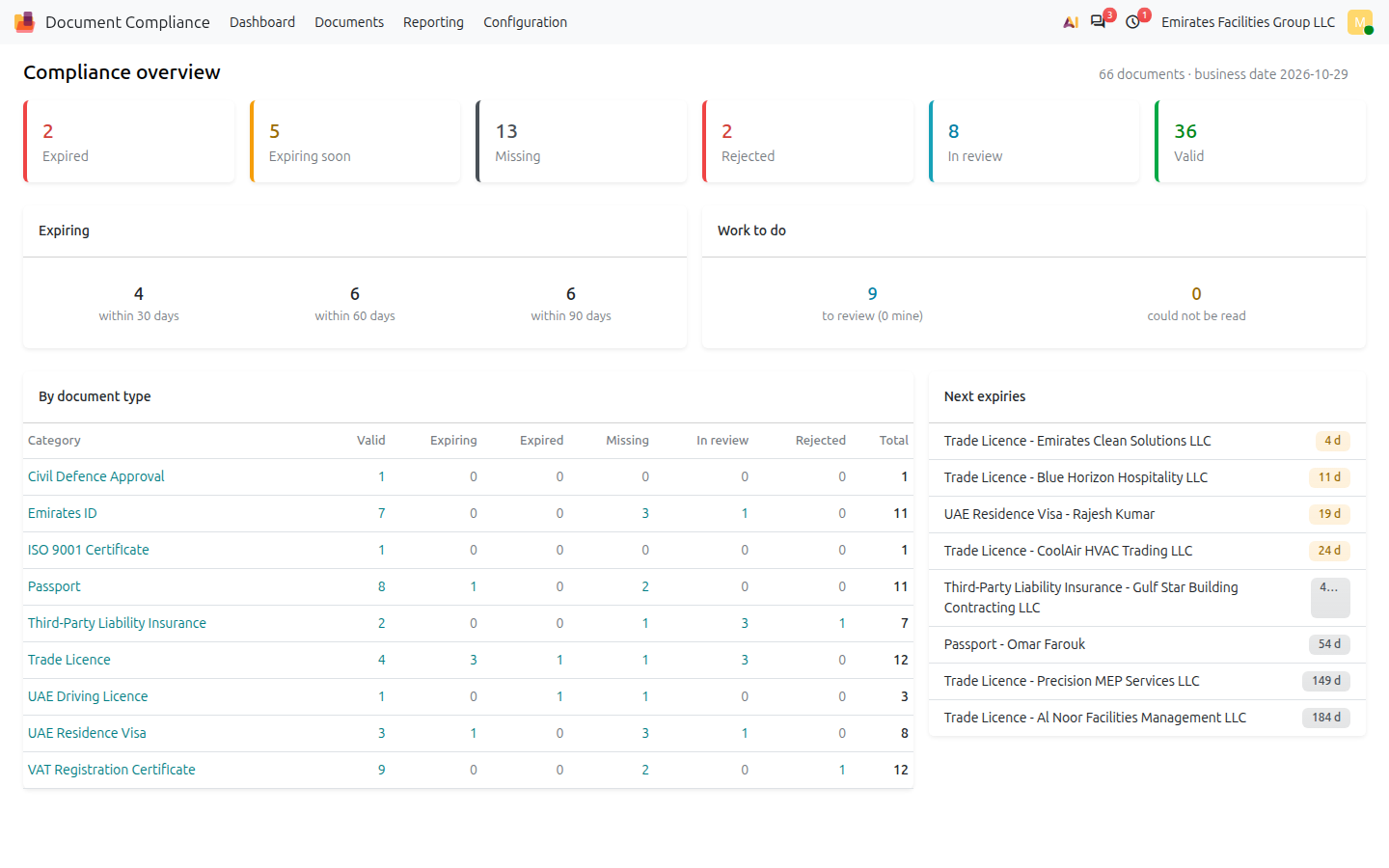
One dashboard for everything that is expired, expiring, missing or waiting for review.
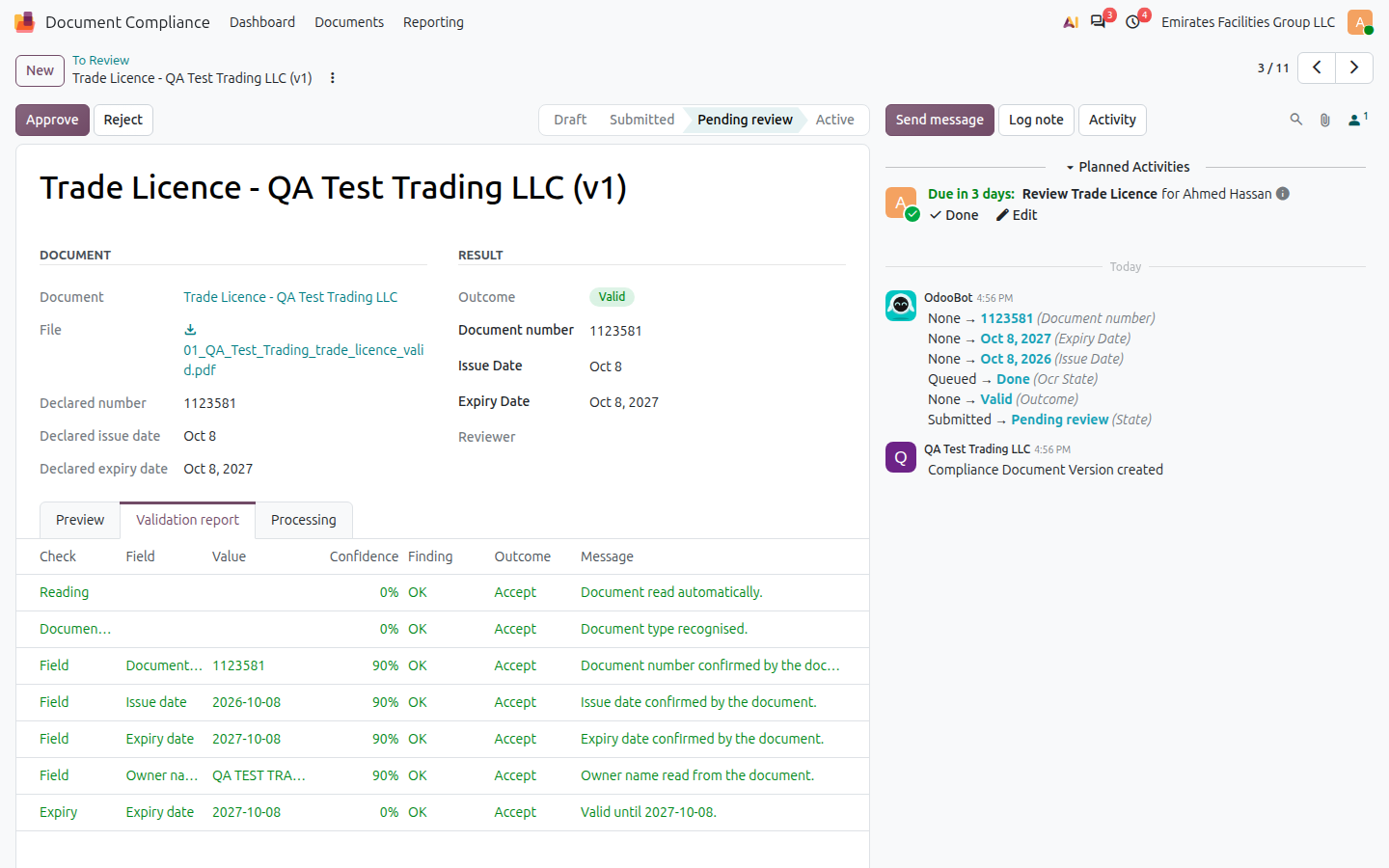
Validation report: what was read, how sure the reading was and which rule decided.

Document categories: required data, policies, reviewers, reminders, retention and automatic requests.
The owner’s portal
A separate app at /my/compliance: no website header, your colour and logo, set once in Settings.

Upload: the file is read as soon as it is chosen; the owner sees the checks before sending.

Overview: what needs doing

Take a photo with the phone camera
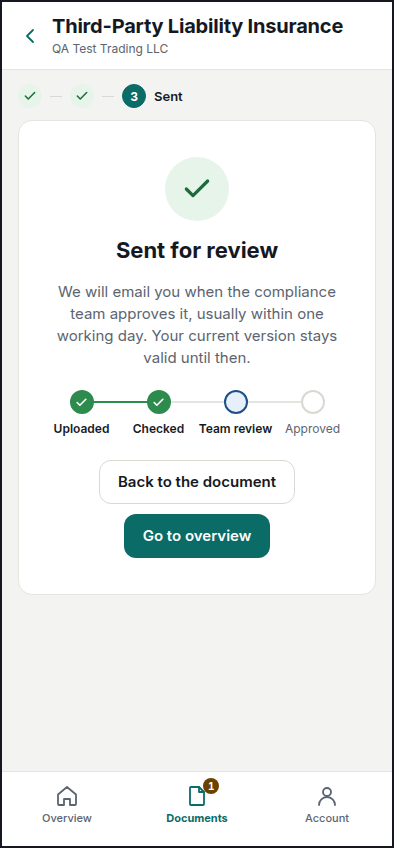
Sent: the owner follows the review

اÙعربÙØ©: right to left
Everything included
- Document categories for customers, vendors, other partners and employees
- Required number, issue and expiry dates; patterns; owner name and ID matching
- Separate policies for expired, missing data, unreadable, low confidence, mismatch and wrong type
- OCR providers: PDF text layer, Tesseract (images and scans), easy to add a cloud provider
- Every upload is a new version; the active one stays until the new one is approved
- Approval by reviewers per category, rejection with a reason, review deadline and escalation
- Reminders at your offsets, sent once, in the owner’s language; failed emails retried and flagged
- Automatic requests by contact tag and, for employees, by department
- Separate portal app with automatic reading on upload, messages and account page
- Portal colour and logo per company, set in Settings
- Link documents to any record (projects, contractsâ¦) with a menu entry on that record
- Approved versions filed in Odoo Documents (Enterprise), old ones archived
- Dashboard, expiring list, analysis (pivot and graph) and notification log
- Retention: archive after N years, permanent deletion only by an administrator, logged
- Access rights: read-only, reviewer, manager, administrator; multi-company; employees’ documents stay private
- English and Arabic, right to left on the portal
Modules
Document Compliance (ag_document_compliance): the application. Needs Discuss, Portal and Contacts only.
Document Compliance – Employees: installs itself with Employees.
Document Compliance – Documents: installs itself with the Documents app (Enterprise).
Server
To read photos and scans, install on the Odoo server:
apt install tesseract-ocr tesseract-ocr-eng tesseract-ocr-ara poppler-utils
PDFs with text work without it.
Made by APPSGATE
Implementation, training and support: www.apps-gate.net




Reviews
There are no reviews yet.