

Description
Multi Company Asset Distribution
From Purchase Order and Vendor Bill
Managing assets across parent and subsidiary companies in a multi-tenant environment can be
tediousâusers often need to create duplicate entries for each company manually.
This module streamlines the entire process:
- Flexible Allocation Methods â Distribute assets by quantity or percentage across companies
- Automated Financial Integration â Asset data flows directly to finance departments as vendor bills
- Dynamic Asset Creation â Assets are automatically generated for each company based on your configuration, complete with the correct accounts and asset models
Mandatory Configurations
Before using this module, ensure the following configurations are in place:
- Enable Multi-Company mode in General Settings.
- Configure Asset Models for each company with appropriate accounts.
- Set up Inter-Company Partners for parent and subsidiary companies.
- Define Chart of Accounts with asset automation enabled.
- Ensure proper User Access Rights for multi-company operations.
- Ensure same Chart of Accounts with Code for multi-company operations.

Features
- Distribute assets across multiple companies from a single Purchase Order or Vendor Bill.
- Flexible allocation methods â distribute by quantity or percentage per company.
- Automatically creates journal entries in each subsidiary and parent company with correct allocations.
- Dynamic asset creation for each company with pre-configured accounts and asset models.
- Configurable company-wise asset models and account mappings.
- Eliminates repetitive manual entries across parent and subsidiary companies.
HOW TO USE THIS MODULE
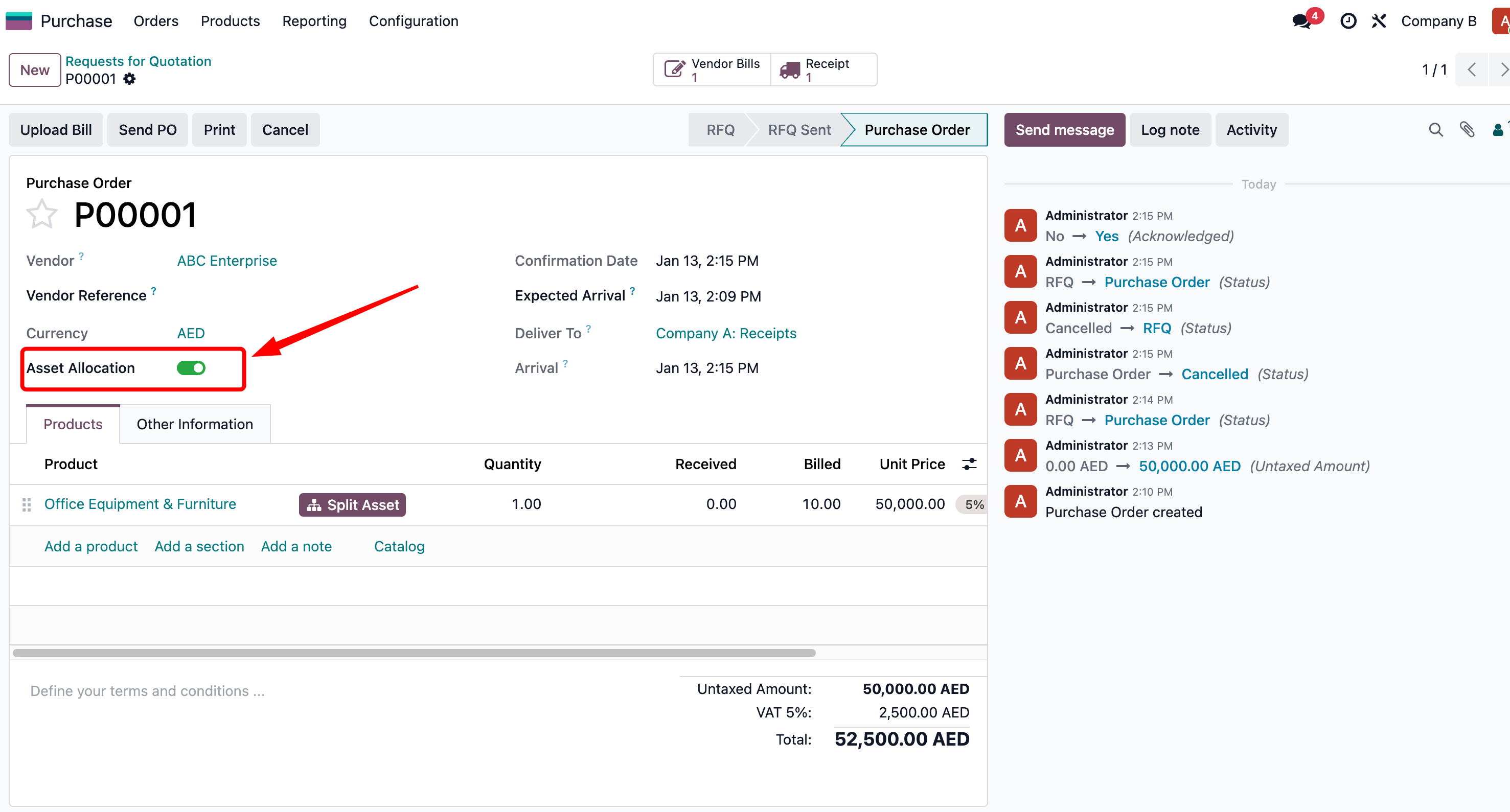
Once installed, users can enable or disable the asset allocation feature from the settings.
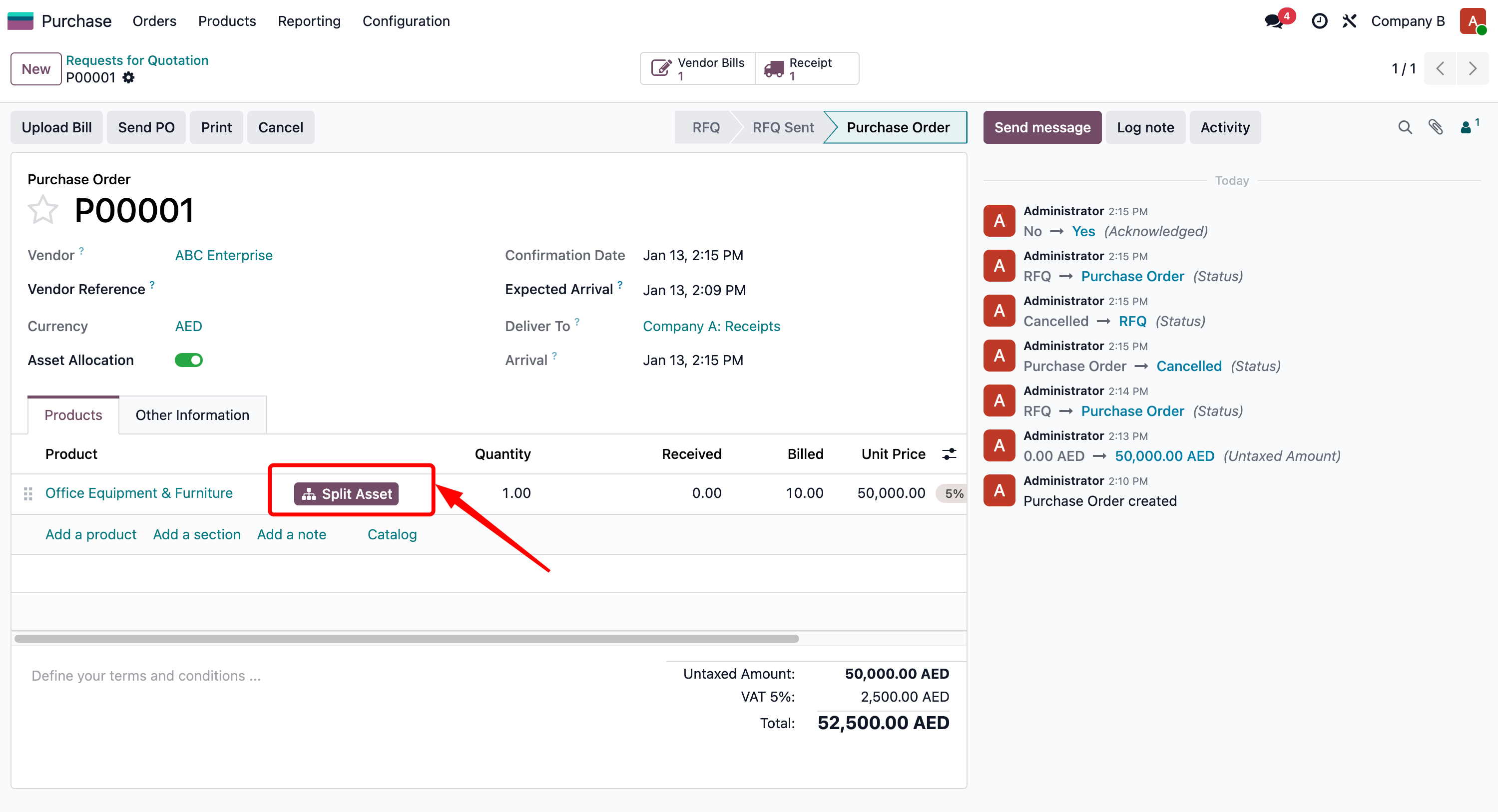
With asset allocation enabled, users can split assets per Purchase Order or Vendor Bill line.
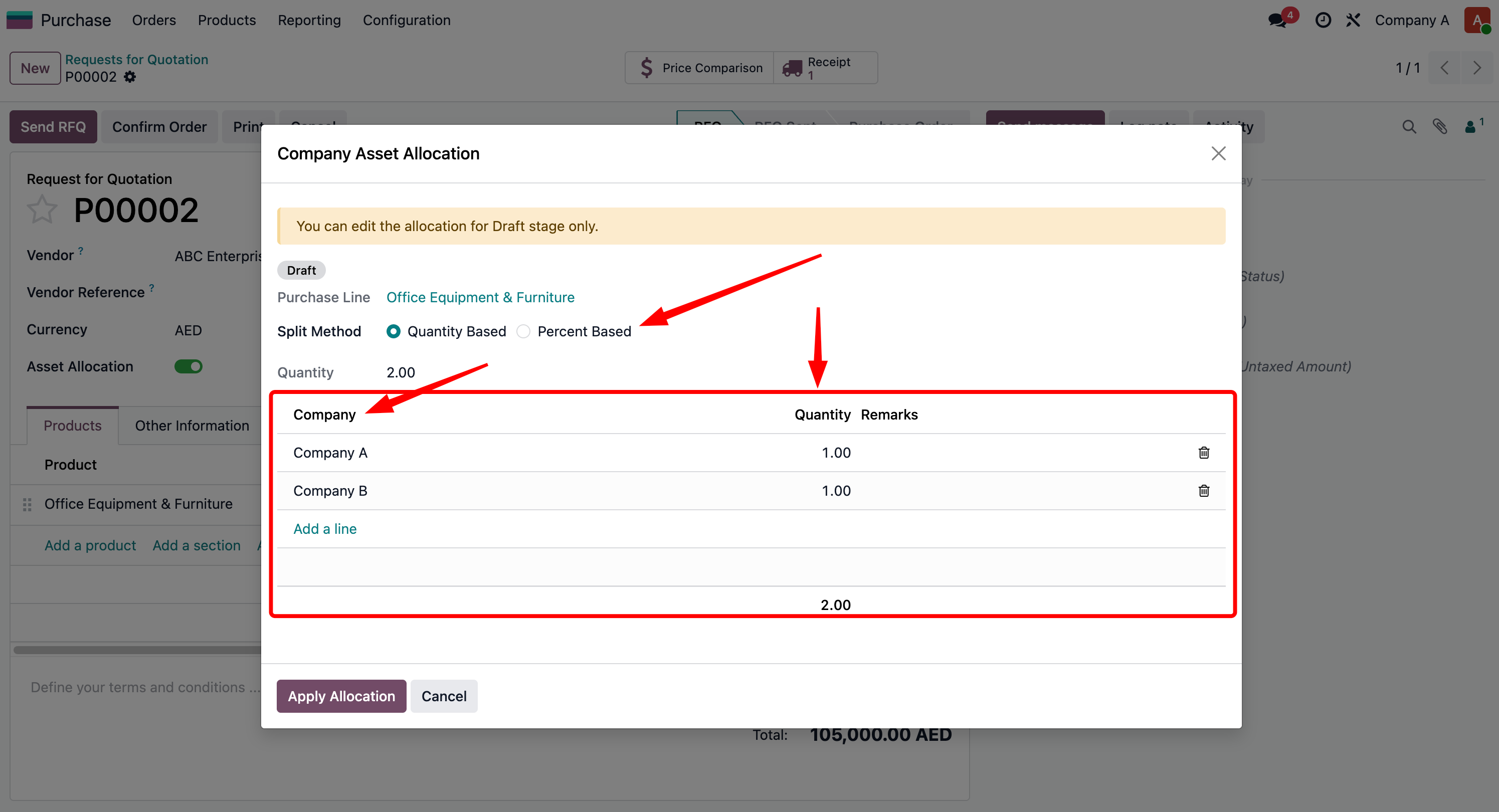
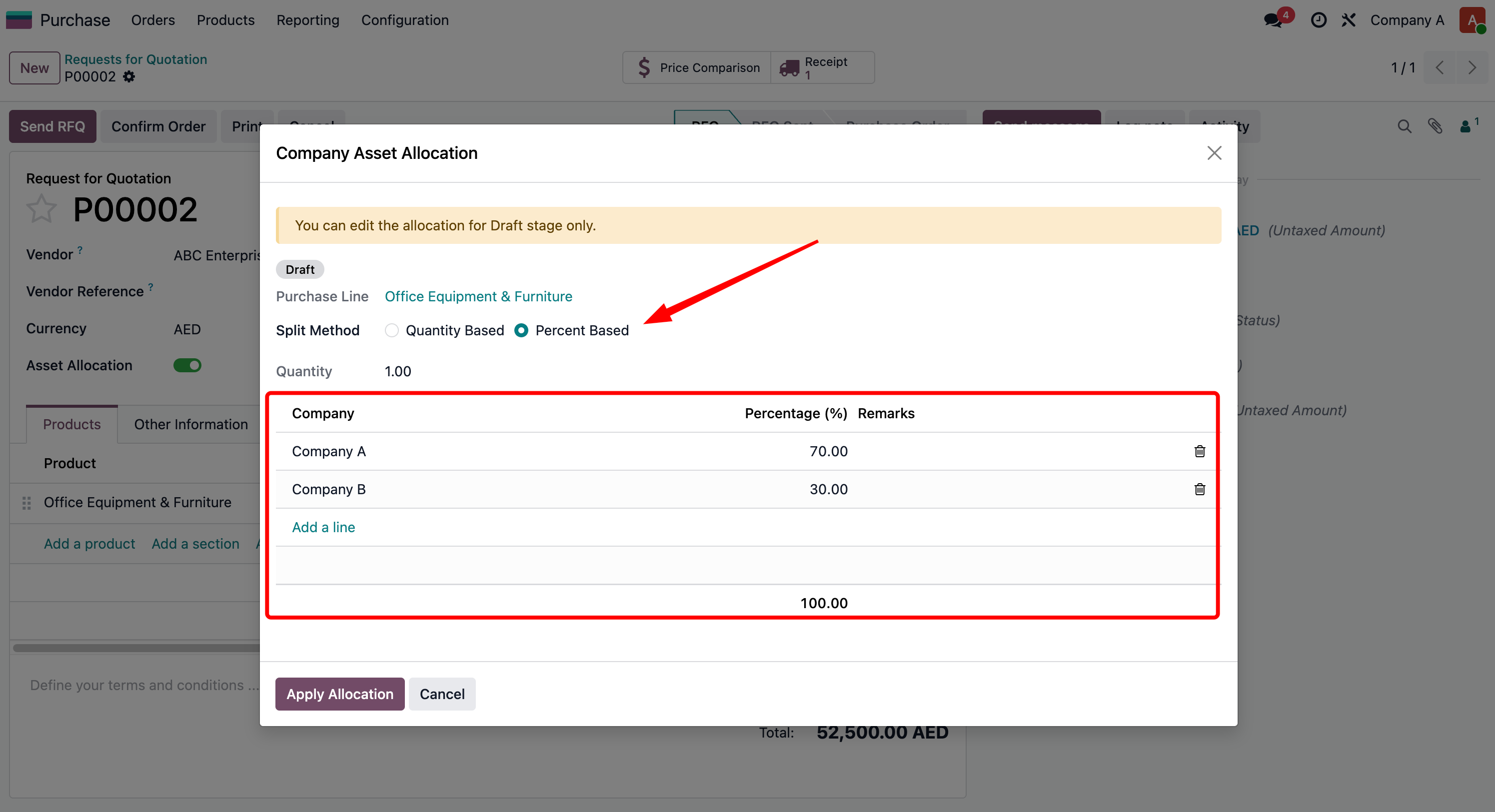
Assets can be assigned using two split methods: Quantity-based or Percentage-based. Note: Percentage-based allocation is only applicable for single quantity items.

Once the Purchase Order is confirmed and Vendor Bill is created, allocations are automatically applied based on the previous configuration.
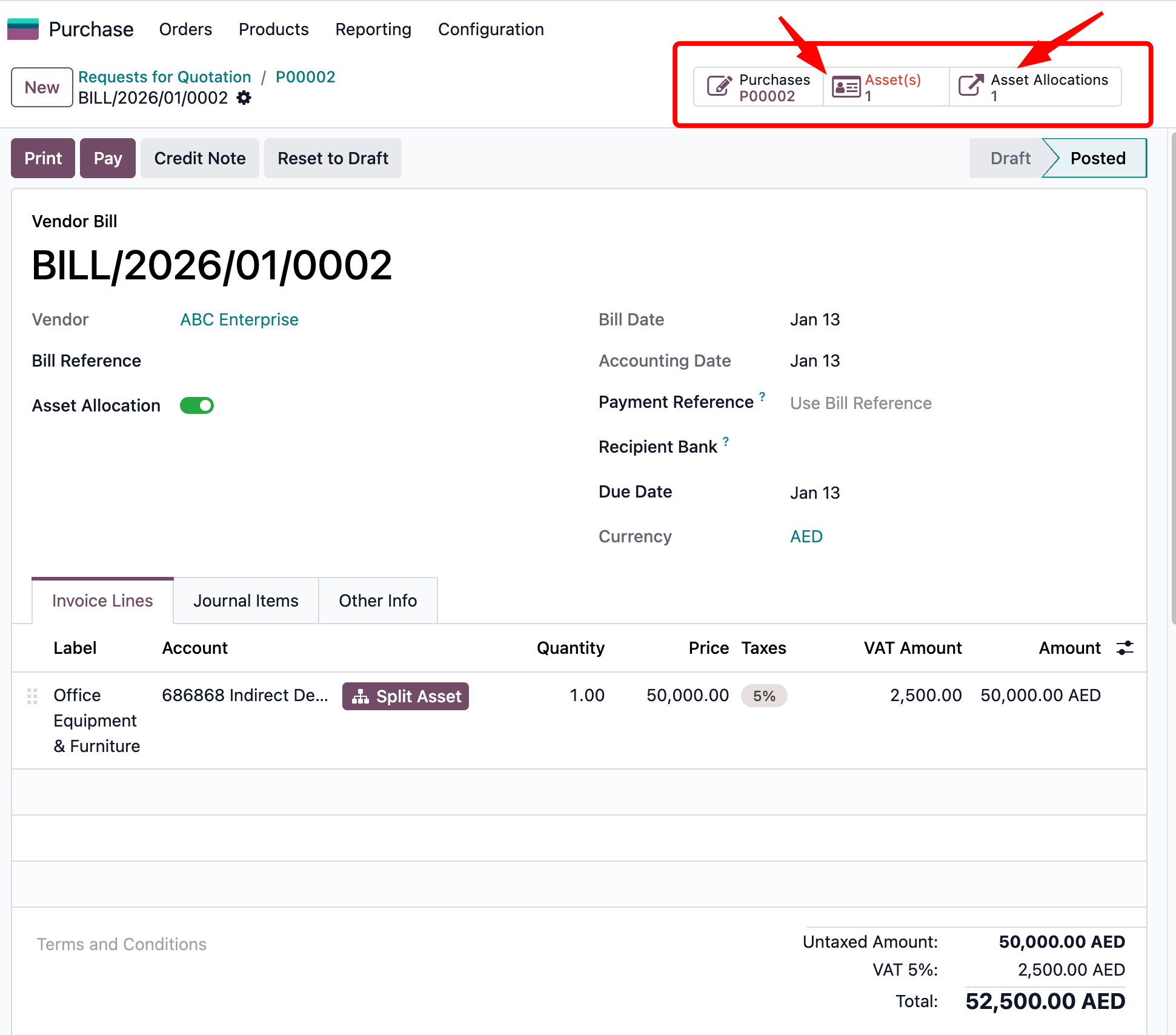
When the Vendor Bill is confirmed and posted, the system creates assets for both parent and child companies based on the allocation splits and Chart of Accounts configuration.
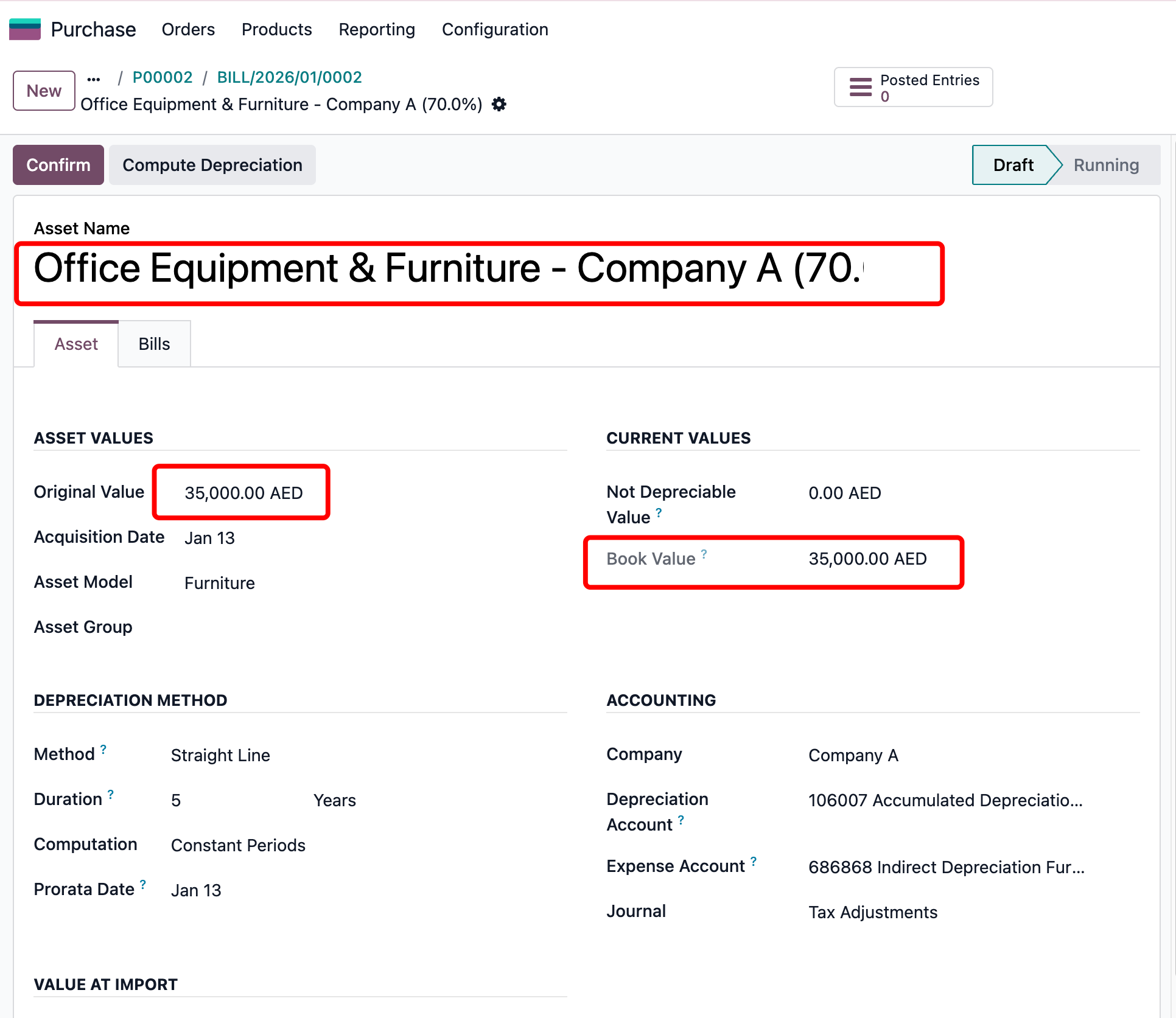
Asset created under Company A with 70% of the total value.
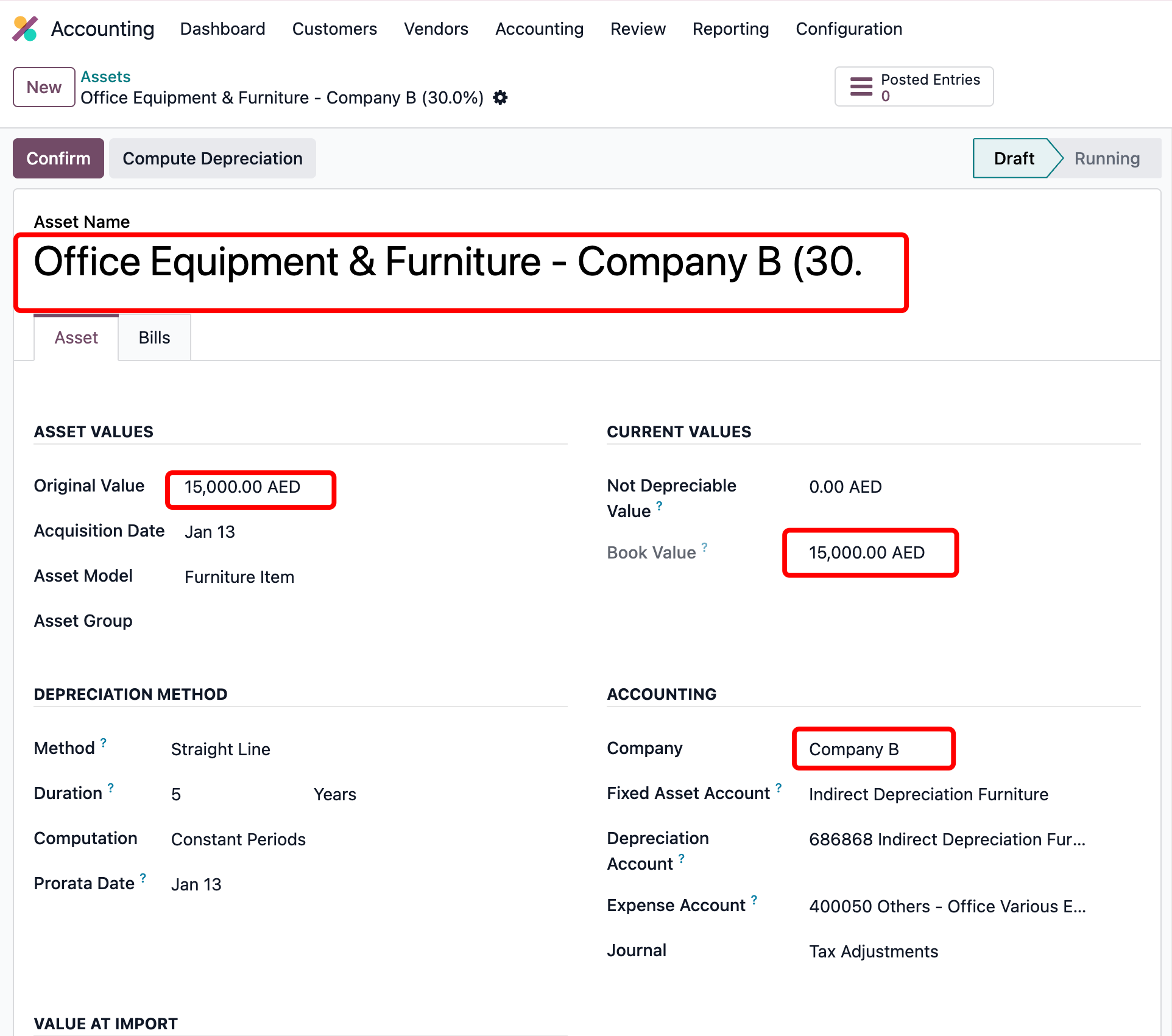
Asset created under Company B with 30% of the total value as per allocation.

Allocation journal entry created as Receivable for the related company partner for the asset value.

Allocation journal entry created as Payable for the parent company partner for the asset value.


Reviews
There are no reviews yet.