
Description
Tender Management & eProcurement
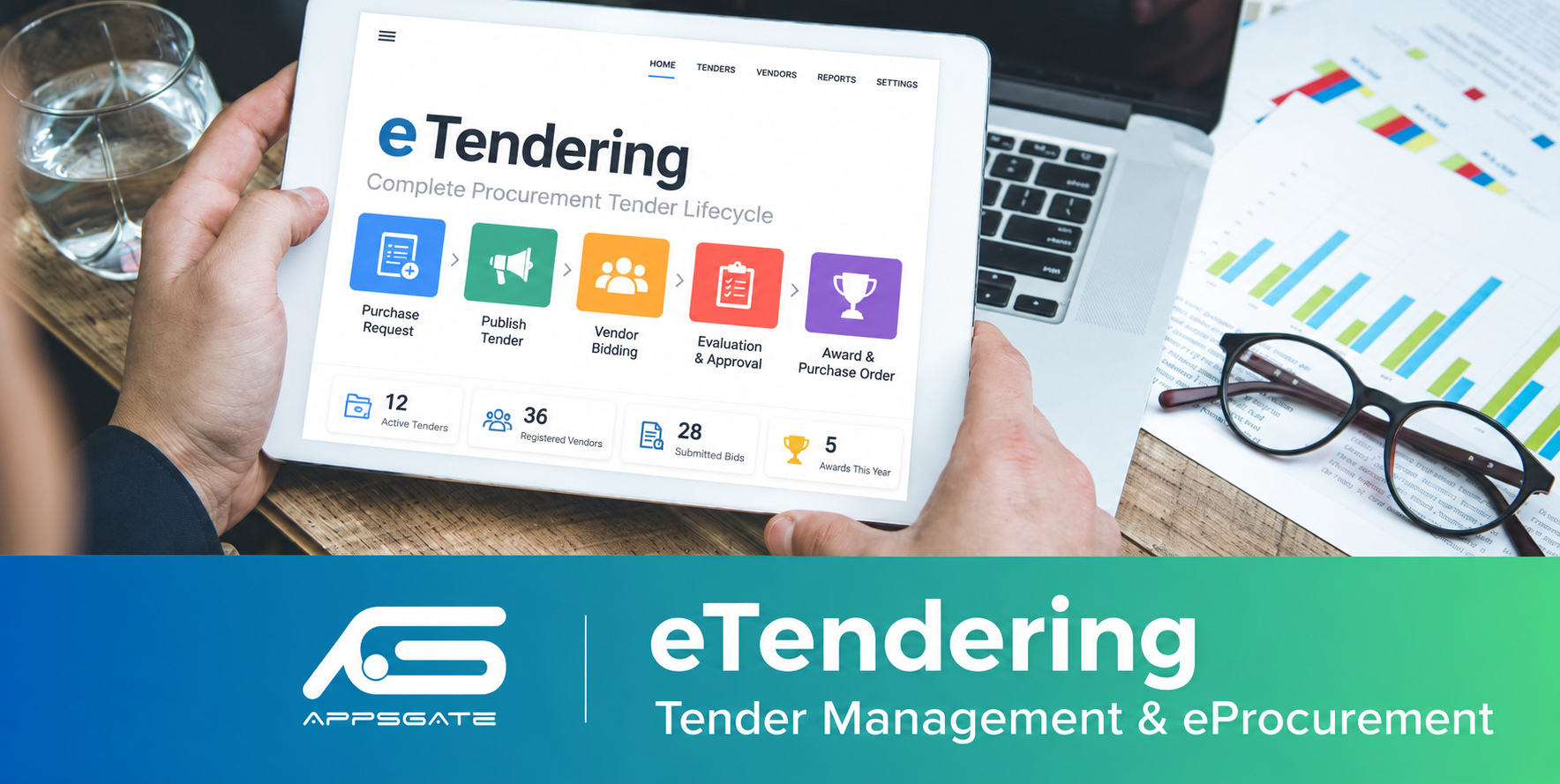
Run tenders from the first purchase request to the purchase order inside Odoo. Vendors bid on a
modern supplier portal, bids stay sealed until the committee opens them, and evaluation, ranking
and award approvals are built in.
Sealed two-envelope bids
Supplier portal
Depends only on Purchase
OPL-1
A complete, auditable tender process
Requests to tenders
Requesters raise procurement requests with estimated prices; once a manager approves, they become tenders with a bill of quantities.
Supplier portal
Vendors register online, download tender documents, ask clarifications and submit sealed bids from their own workspace.
Truly sealed bids
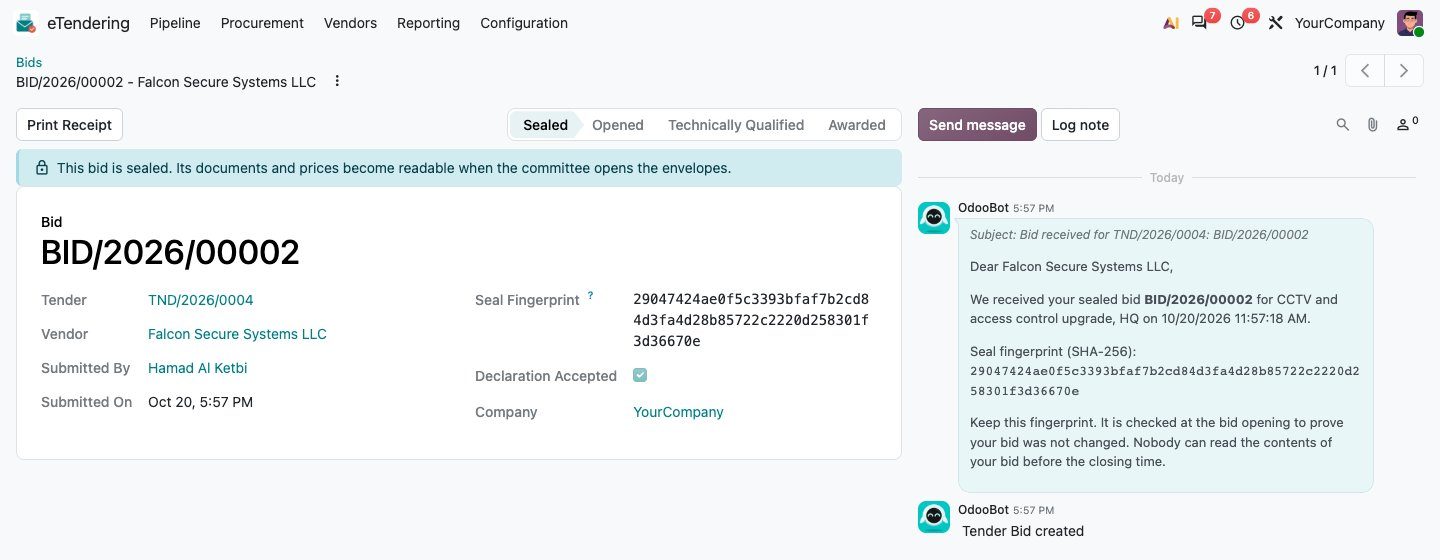
Each bid gets a SHA-256 seal. Nobody, not even an administrator, can read prices or files before the committee opens the envelopes.
Committee opening
Envelopes open only with a quorum of members who signed a conflict-of-interest declaration. Every seal is re-verified.
Weighted evaluation
Technical scoring per criterion with a pass mark, automatic commercial scoring, and a combined ranking using the tender’s weights.
Award to purchase order
One or two-level award approval, award and regret letters by email, and a standard RFQ for the winner in one click.
Nine steps, every one recorded
Request
Items and estimates, approved by a manager.
Tender
BoQ, criteria, documents, vendors and committee; approved and published.
Bidding
Vendors ask questions and submit sealed bids on the portal.
Closing
Closes automatically at the published time; never early.
Opening
Quorum present, seals verified, technical envelopes opened.
Technical
Score 0–10 per criterion; bids under the pass mark drop out.
Commercial
Prices of passing bids opened, scored and ranked.
Award
Recommend, approve by a different manager, notify all bidders.
Purchase order
A standard RFQ for the winner, at the bid prices.
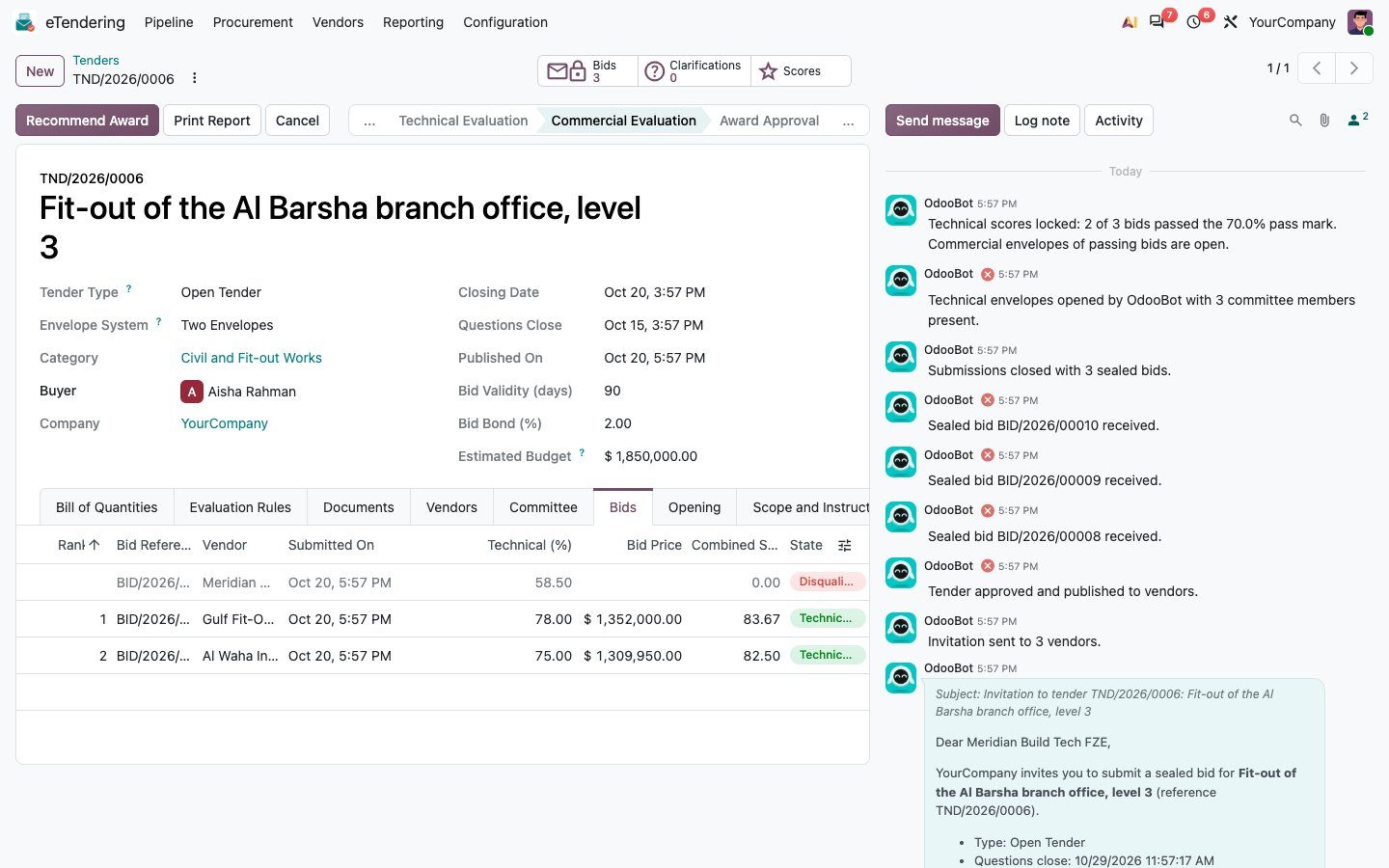
Every tender, at every stage, in one pipeline
Follow tenders from draft to award on a kanban, list, calendar or pivot. Each tender holds its
bill of quantities, weighted technical criteria with scoring guidance, pass mark, documents,
invited vendors and the opening committee, with a full chatter history.


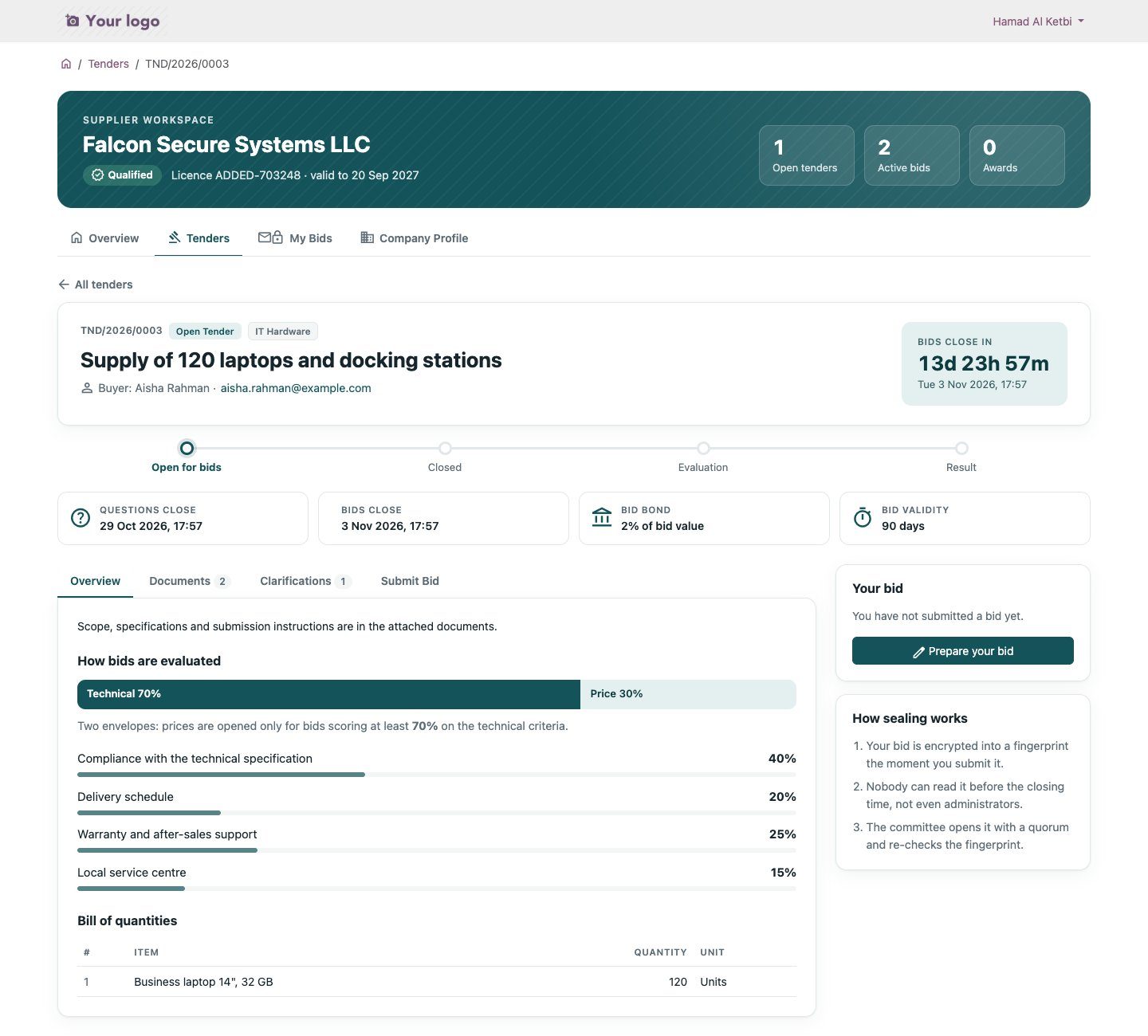
A supplier workspace they will actually enjoy using
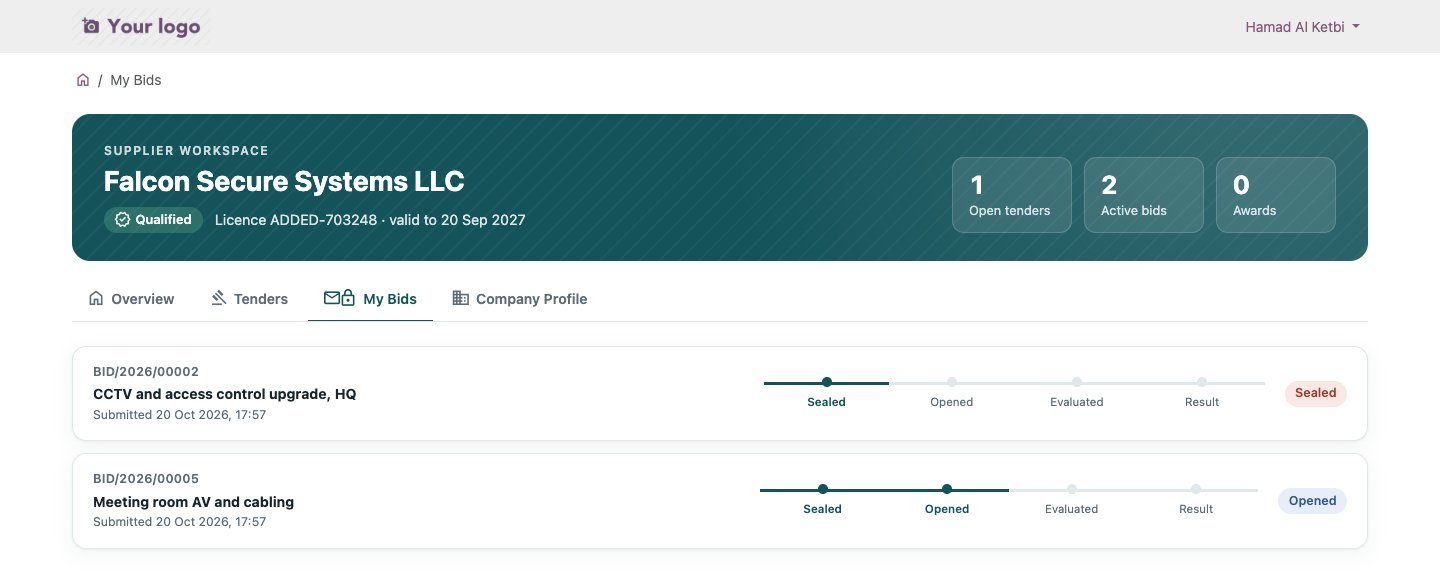
Each vendor sees its qualification status, open tenders with a live countdown, bids in progress
and the latest clarifications. Tender pages show how bids are evaluated, the documents and the
bill of quantities.

Two envelopes, one declaration, one click to seal
- Technical envelope: proposal, method statement and supporting files.
- Commercial envelope: a unit price for every BoQ line, bid bond reference and validity.
- Declaration: compliance and no conflict of interest, confirmed before sealing.
- The vendor receives an emailed receipt with the bid’s seal fingerprint.
- Bids can be withdrawn and resubmitted before closing, if your policy allows it.

Sealed means sealed, until the committee meets
Before opening, buyers see only who bid, when, and the seal fingerprint. Access rules hide every
envelope and attachment until it is opened, so even eTendering managers cannot read prices early.
Any change made behind the application is caught by the seal check at opening.
Quorum
Envelopes open only when enough committee members attend.
Conflict of interest
Each member signs their own declaration; nobody can sign for them.
Minimum bids
Fewer bids than the minimum require a written justification.

Transparent scoring and automatic ranking
Evaluators score each criterion from 0 to 10. Locking the scores disqualifies bids below the pass
mark and opens the commercial envelopes of the others only. The commercial score is
lowest price ÷ bid price × 100, combined with the technical score using the tender’s weights.


Four-eyes approval, then a purchase order
- Recommending a bid that is not ranked first requires a justification.
- A manager other than the recommender approves the award.
- Above your second-approval amount, a second, different manager must approve too.
- Letters of award and regret are emailed automatically.
- Savings against the estimated budget are tracked for reporting.
- One click creates a standard Purchase RFQ with the bid prices.

Qualified vendors, clear numbers
Vendors register publicly at /etender/register with their licence, categories and documents.
Review them, qualify or suspend them, then grant portal access with Odoo’s standard wizard.
Vendors are ordinary contacts, so nothing is duplicated.


Configured per company, enforced everywhere
Pass mark, default weights, opening quorum, minimum bids, clarification cut-off, bid bond,
tender threshold, withdrawal policy and second award approval amount, all under
eTendering › Configuration › Settings.

| Group | Can |
|---|---|
| Requester | Raise procurement requests and follow the tenders created from them. |
| Procurement Officer | Prepare tenders, answer clarifications, sit on committees, score opened bids, create purchase orders. |
| Manager | Approve requests, tenders and awards; qualify or suspend vendors; change policies. |
| Portal (vendors) | See published open tenders or tenders they are invited to, ask questions and bid. |
Your first tender in four steps
Assign groups
Give users their eTendering role under Settings › Users.
Set your policies
Pass mark, quorum, weights and thresholds in the eTendering settings.
Qualify vendors
Review registrations, qualify them and grant portal access.
Publish a tender
Fill in the BoQ, criteria and committee, submit, approve and publish.
Technical notes
- Odoo 20 Community and Enterprise; depends only on
mail,portalandpurchase. - Bid contents live in envelope records whose access rules allow reading only once
is_openis set; attachments follow the envelope. - SHA-256 seal per bid, re-verified at opening; sealed envelopes are read-only.
- A scheduled action closes tenders at their closing time.
- Multi-company: every document is restricted to the user’s allowed companies.
- Demo data includes seven tenders in every stage, eight vendors and two requests.
- Ships with automated tests:
--test-tags /appsgate_etendering.
www.appsgate.ae





Reviews
There are no reviews yet.