
Description
PETTY CASH MANAGEMENT
A petty cash management system helps companies ensure that the funds are used appropriately and the transactions
are properly documented. Having such a system in place serves as an internal control to protect the business against
theft and fraud.
Petty cash is a relatively small amount of cash on hand available for employees of a business to make small,
non-recurring purchases easily and quickly
Features
- Manage Petty Cash.
- Proper Tracking Of Approvals.
- Track Expenses.
How to use this module
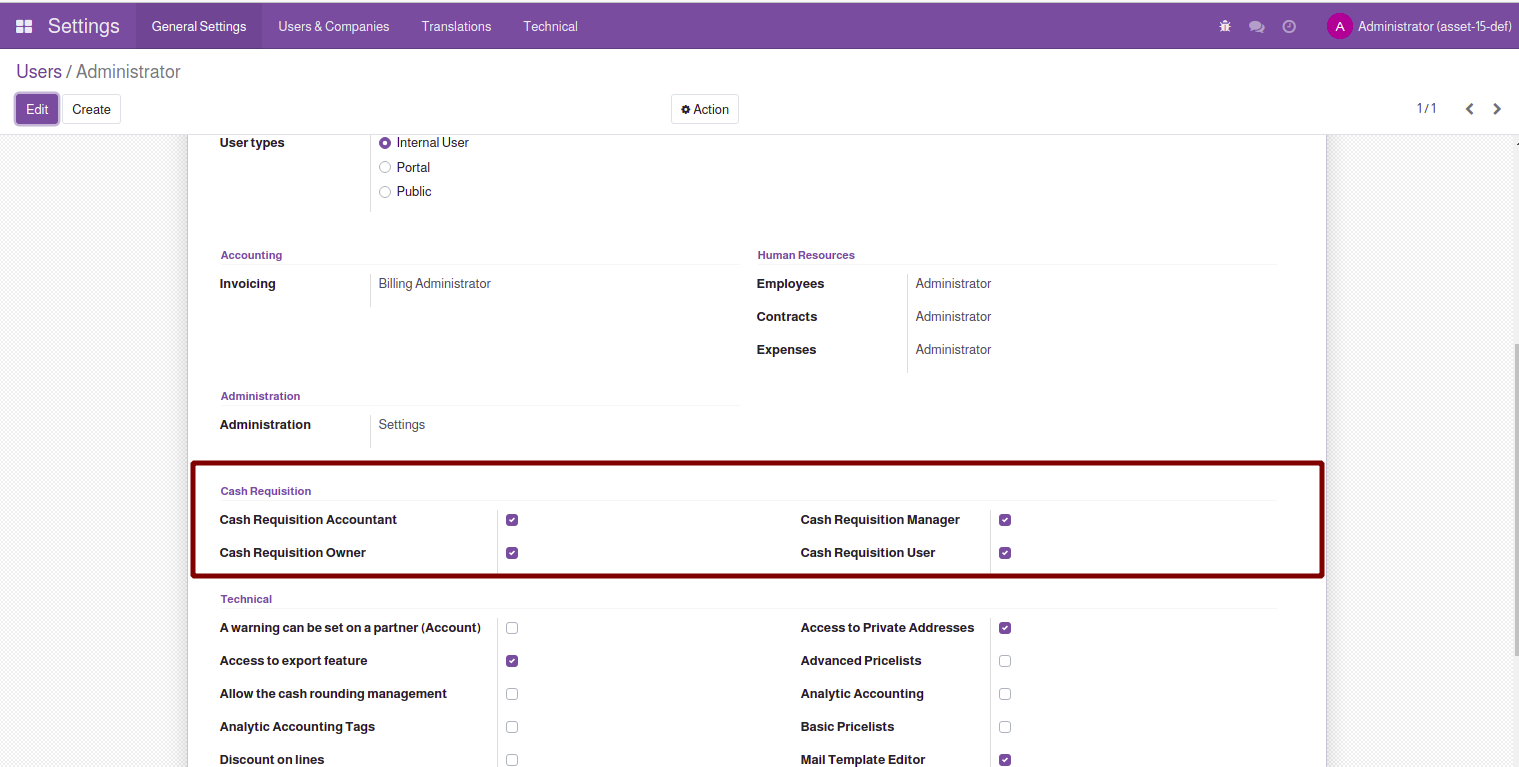
 After installing this module, you need to set access rights for each user, as there is certain approval
process to be followed.- Cash Requisition User : An Employee wants to request for petty cash, he should be given petty cash user access
- Cash Requisition Manager : This access is for department managers, He/She can see own team employees.
- Cash Requisition Accountant : This access for finance department for approving petty cash
- Cash Requisition Owner : Manager access who manages the petty cash.
process to be followed.
- Cash Requisition User : An Employee wants to request for petty cash, he should be given petty cash user access
- Cash Requisition Manager : This access is for department managers, He/She can see own team employees.
- Cash Requisition Accountant : This access for finance department for approving petty cash
- Cash Requisition Owner : Manager access who manages the petty cash.
From Petty cash menu employee can request for the amount required, along with the reason and
confirm the requisition by confirm button.

confirm the requisition by confirm button.
Once requester confirms it moves to department manager approval, also shows the status by whom
it was confirmed along with the confirmed date.

it was confirmed along with the confirmed date.
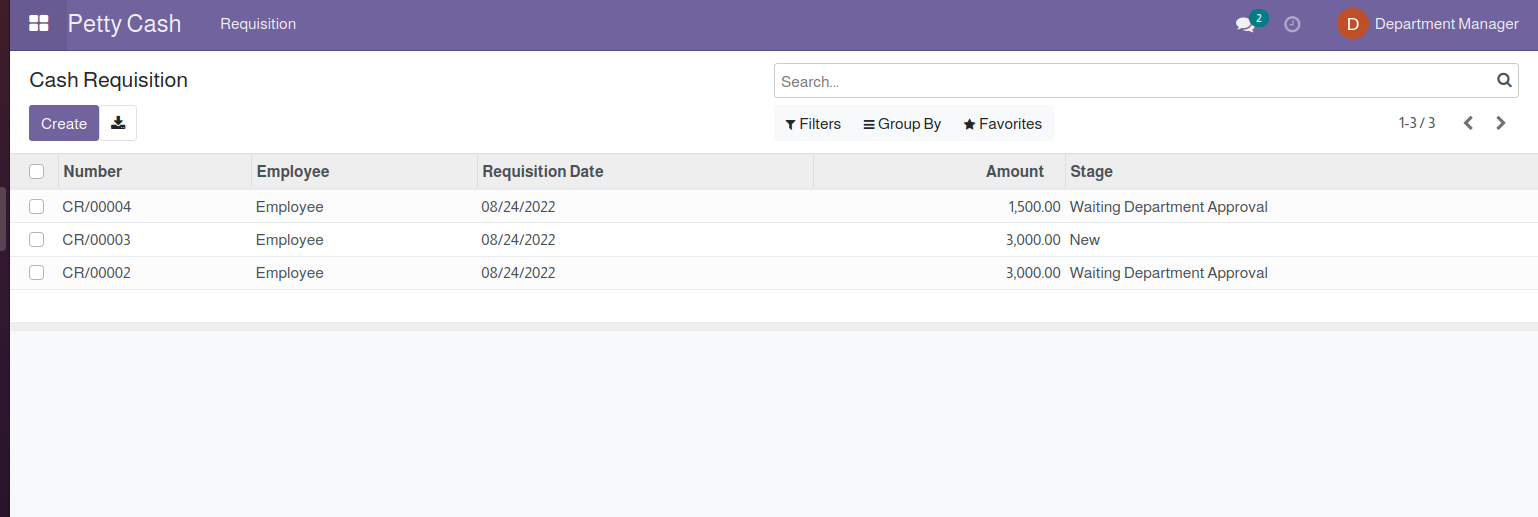
When department manager will login in his access, only the employees under his department
he will be able to see.
he will be able to see.
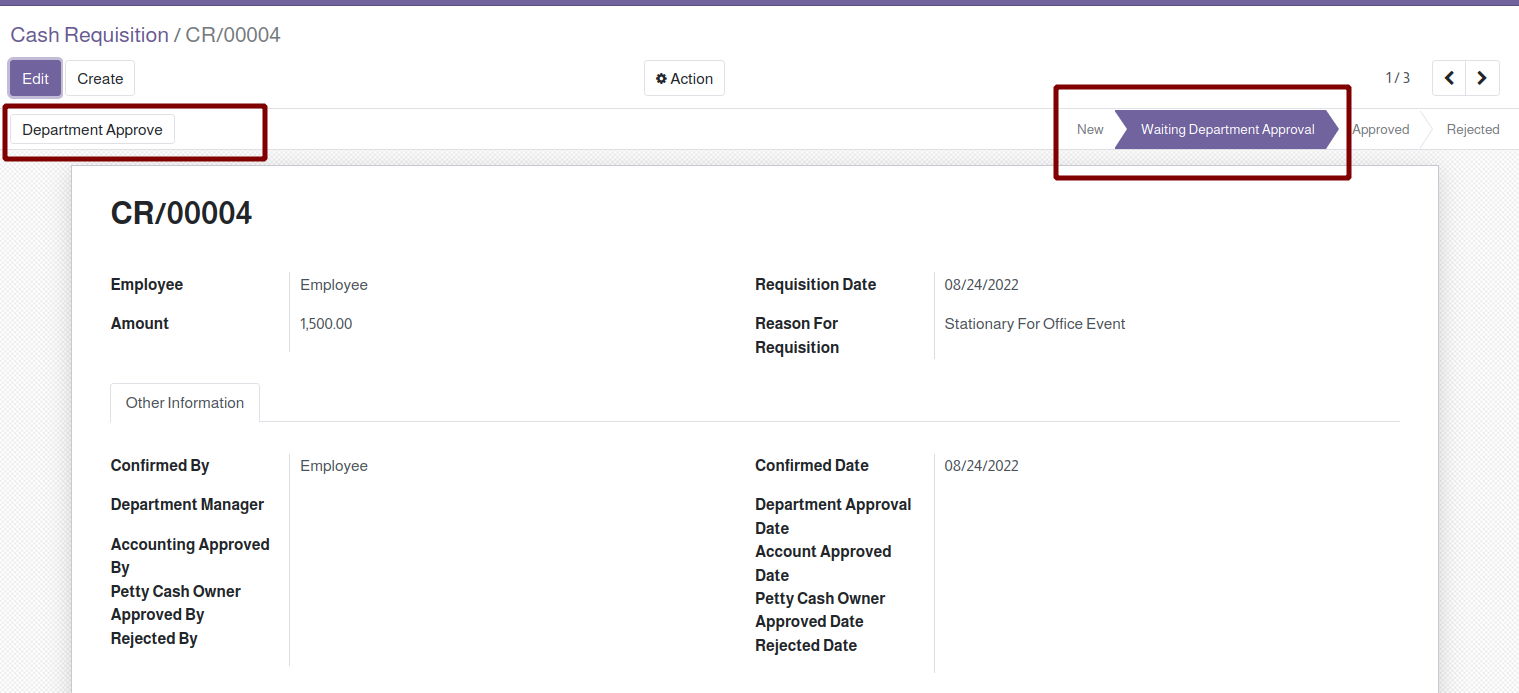
Department manager can open the record and click on department manager button
for approving the requisitions.
for approving the requisitions.
After department manager approves, it moves for accounts approval and it tracks the approval
log in the Other information.
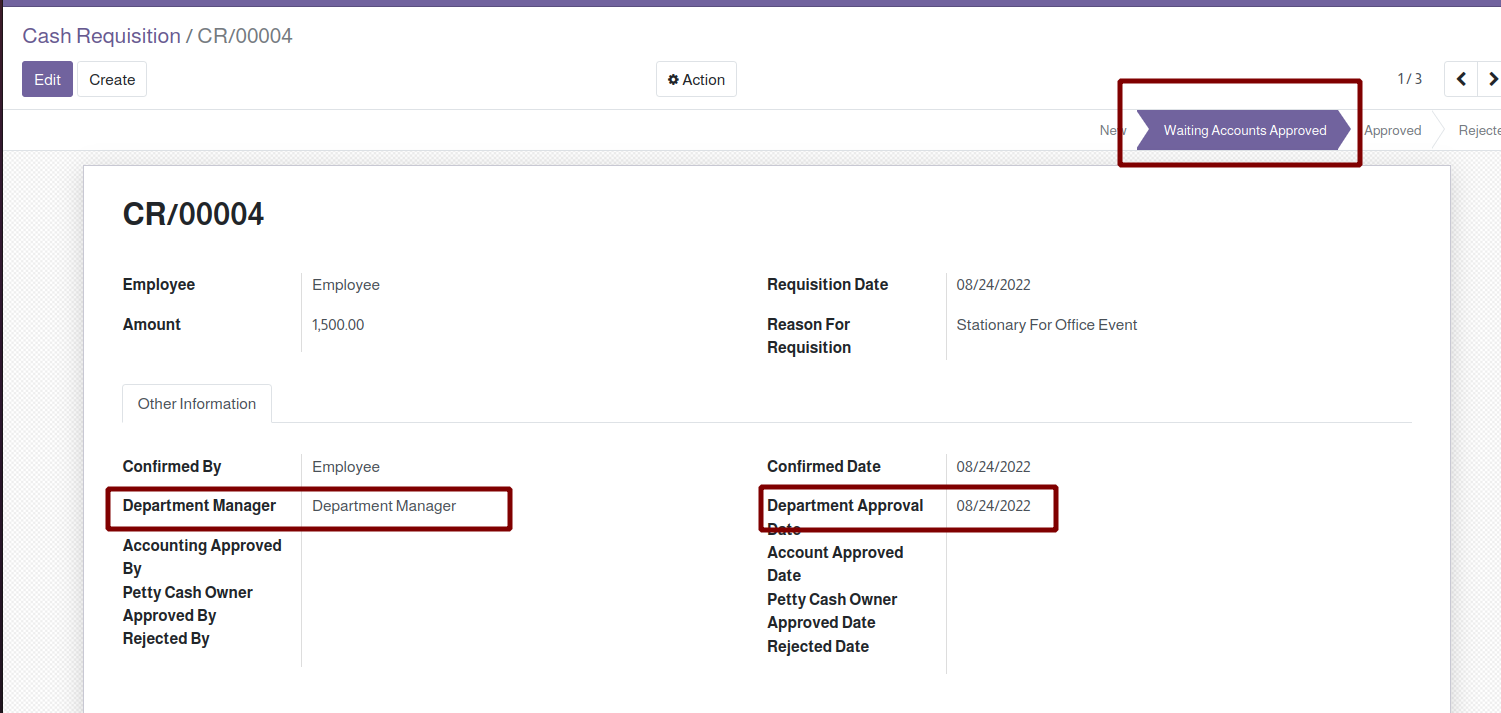
log in the Other information.
Now, the finance department can login and do the approval, it is mandatory to add the journal.
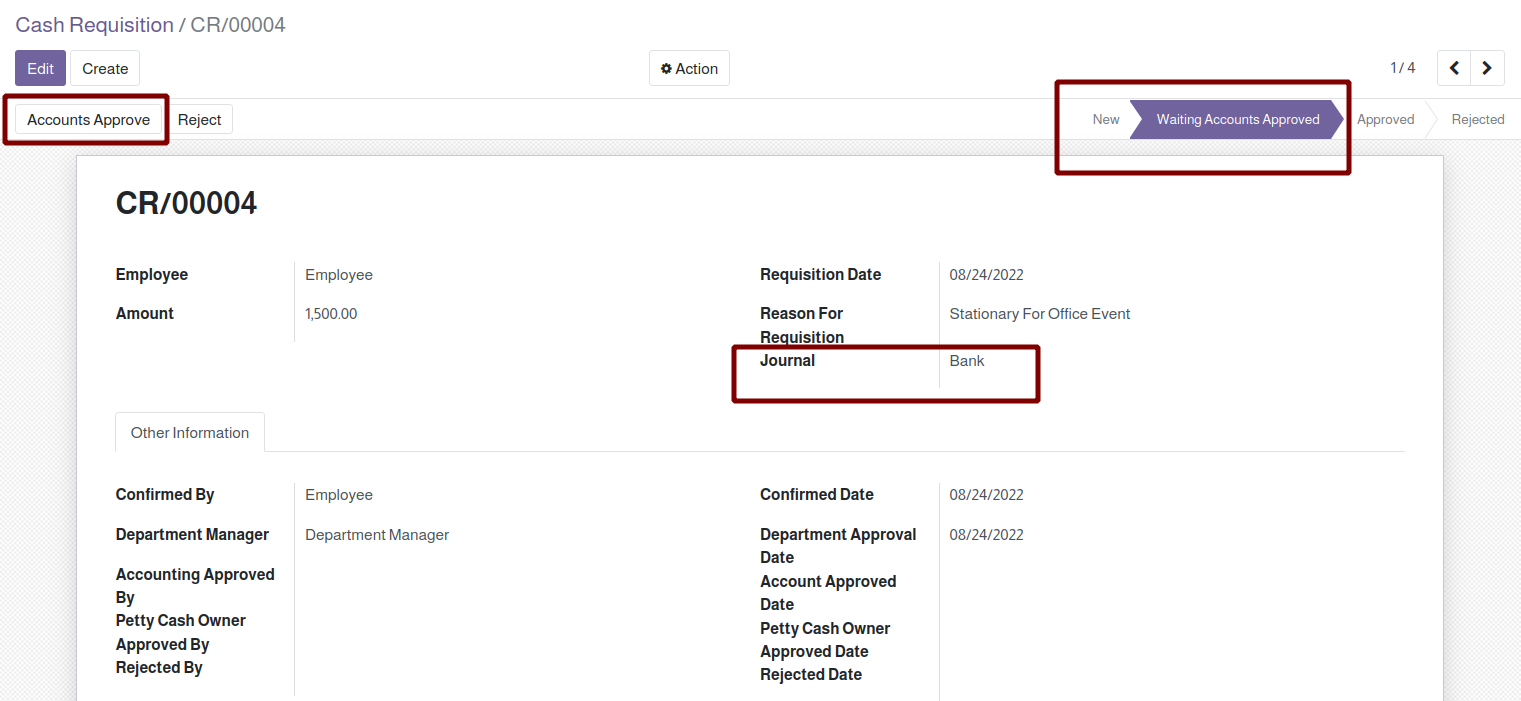
Once Finance Manager department approves the petty cash it will move for petty cash owner approval,
also it tracks the accounts approval along with date.
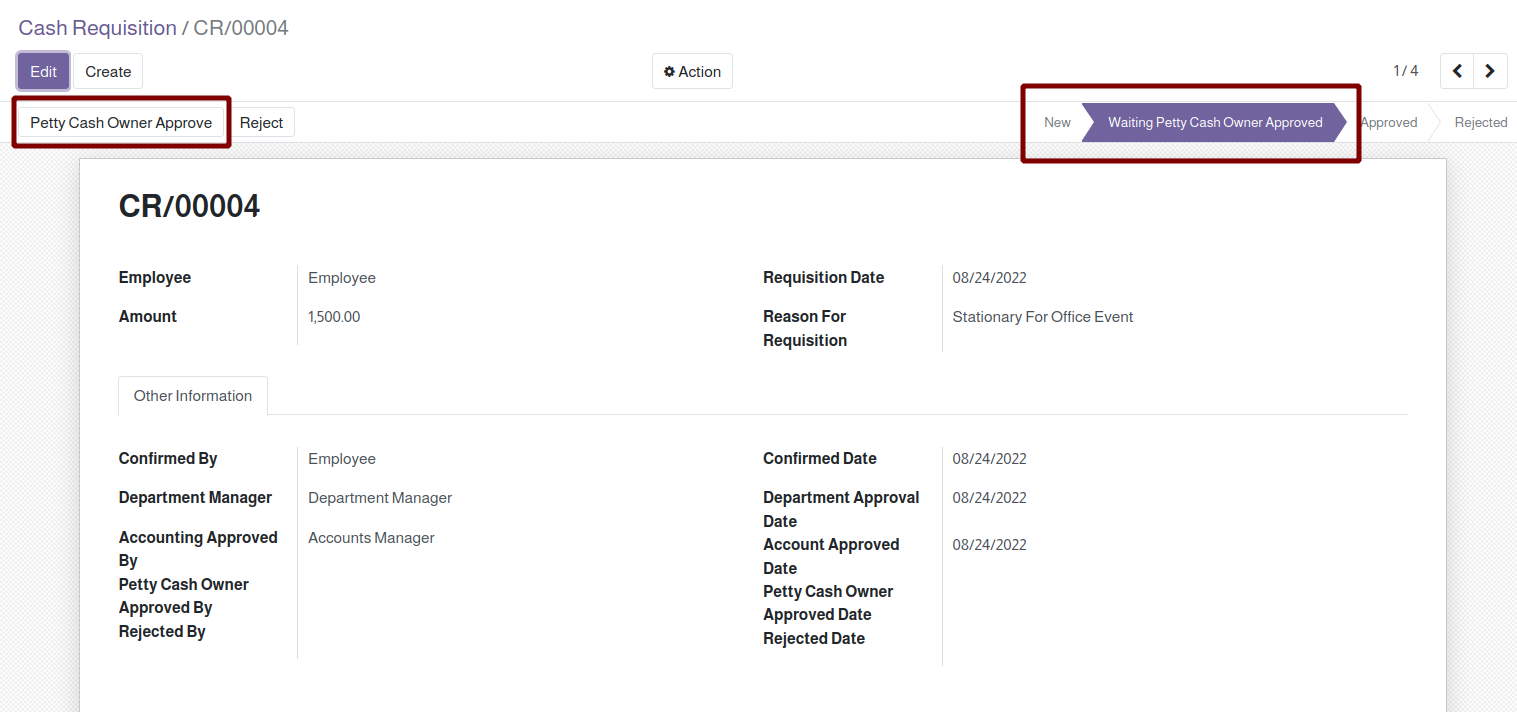
also it tracks the accounts approval along with date.
Now the petty cash responsible can approve the requisition.

Once the cash requisition gets approved, approver details gets tracked and an expense
smart button becomes visible.
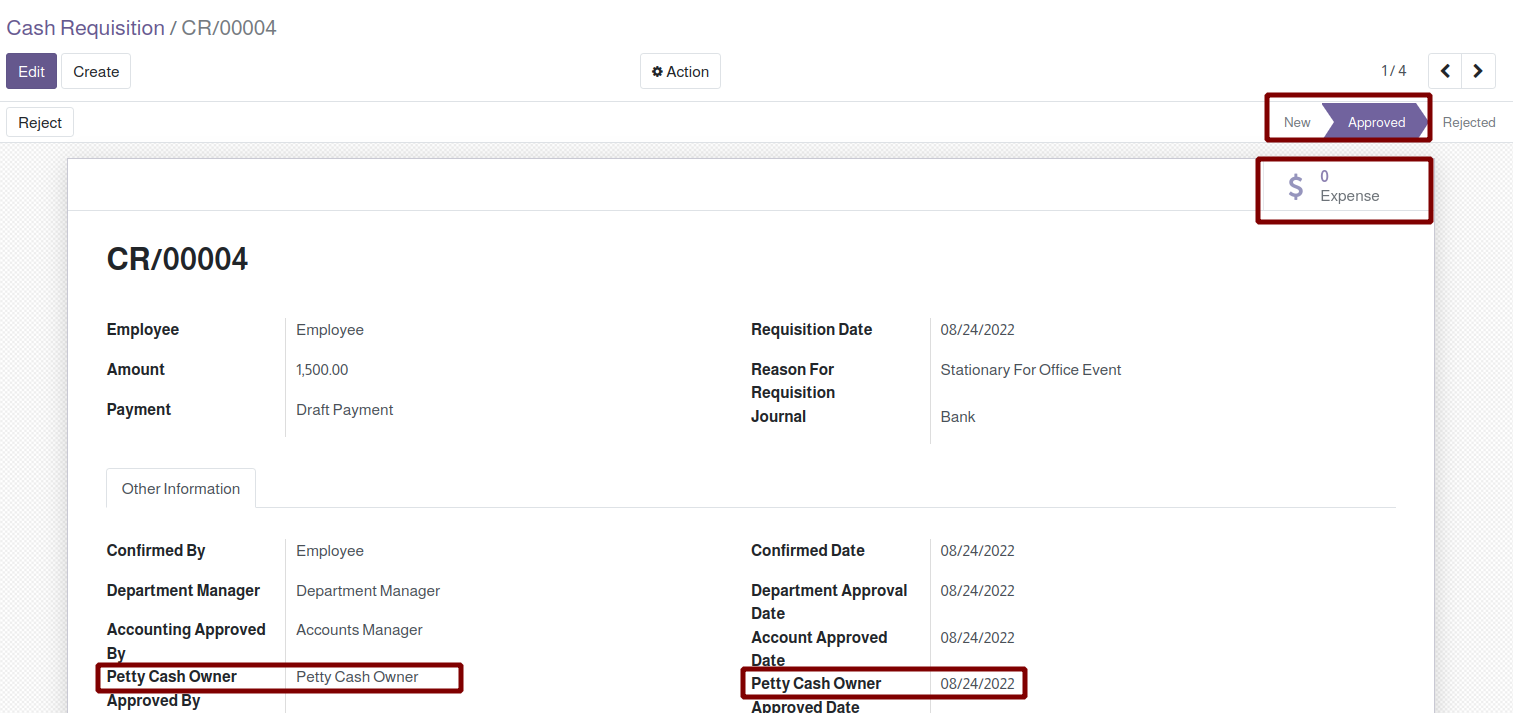
smart button becomes visible.
An Expense related to this cash requisition get created which can be further submitted for
approval and we an mark the invoice against this request.
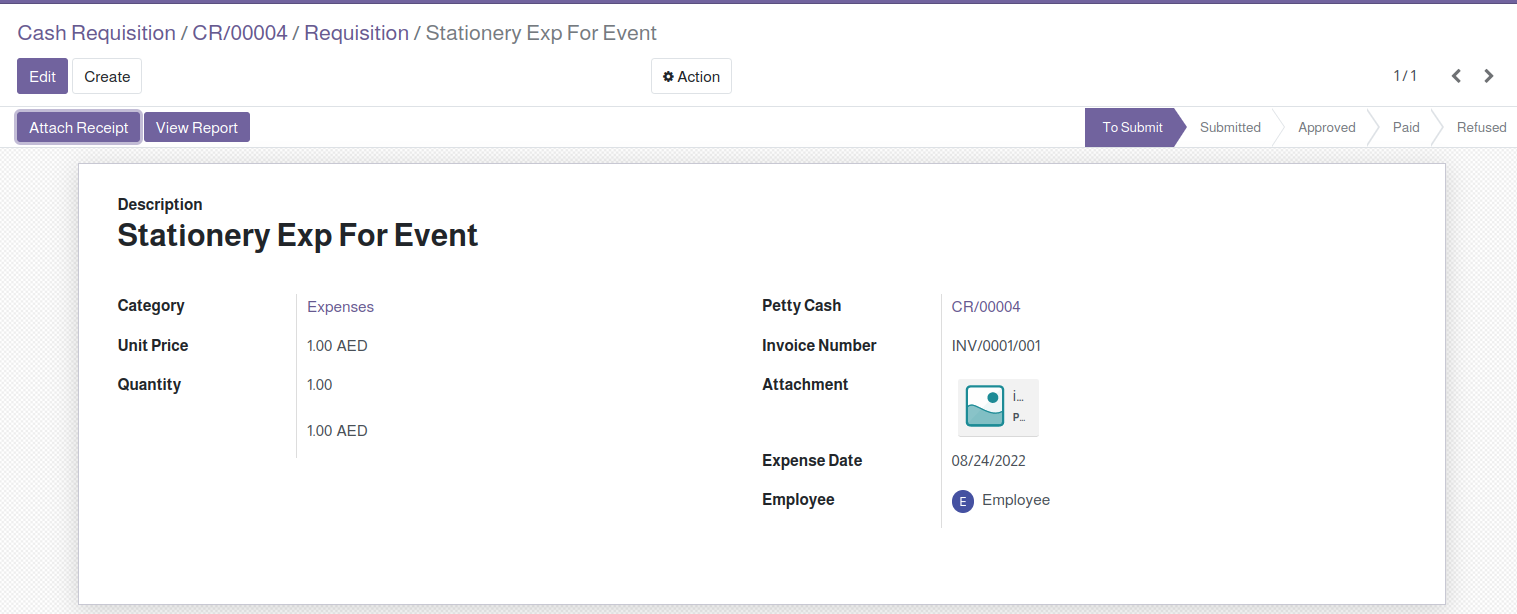
approval and we an mark the invoice against this request.






Reviews
There are no reviews yet.