
Description
PDC MANAGEMENT
Post dated checks can also be used for payment in the realization for the Line of credit .
Security checks are used only when the account becomes non-performing.Managing accounts using
post dated checks is very complex and important, as it has significant bearing on the servicing
operations. This module allows the user to handle the post dated cheques very easily.
Features
- Manage Vendor Post Dated Cheques.
- Manage Customer Post Dated Cheques.
- Manage Status of PDC.
HOW TO USE THIS MODULE
Please install Base Accounting kit Module, before installling this module.
 PDC basically works on bank Journals. In Bank Journal Configuration, checkbox
for PDC should be True. Also PDC account should be set in the bank configuration.
PDC configuring is important to make the process of PDC work properly.
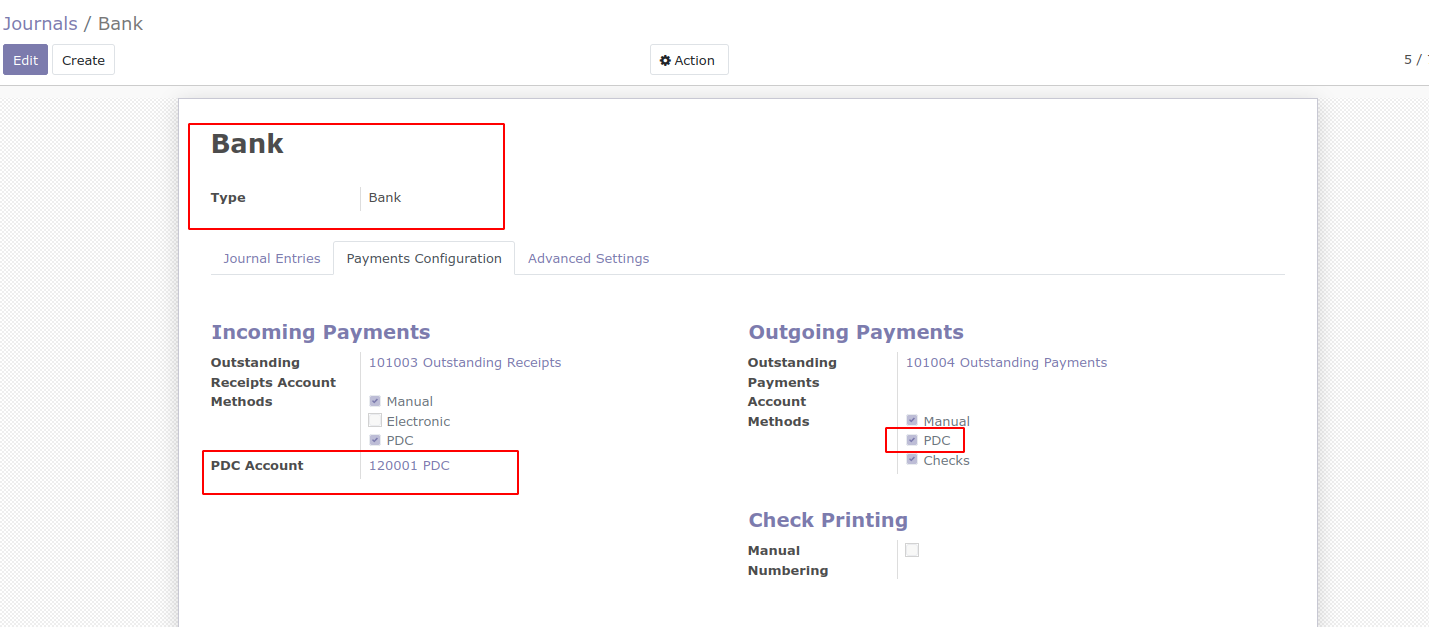
for PDC should be True. Also PDC account should be set in the bank configuration.
PDC configuring is important to make the process of PDC work properly.
In Accounting / Payments menu we can see the Payment type as send money and receive
money both depends on respective supplier or customers.- Payment Type can be Vendor/Customers.
- Partner name should be selected.
- Payment Amount that is planned to be given to vendor/customer.
- Amount In Words will come automatically based on the payment amount given.
- Payment Journal will be Bank, as PDC basically works for bank.
Pdc should be selected among the given payment method options
- PDC Account : When PDC option is selected automatically pdc account field appears.
- Effective Date: Mention the date on which the cheque will be effective.

money both depends on respective supplier or customers.
- Payment Type can be Vendor/Customers.
- Partner name should be selected.
- Payment Amount that is planned to be given to vendor/customer.
- Amount In Words will come automatically based on the payment amount given.
- Payment Journal will be Bank, as PDC basically works for bank.
Pdc should be selected among the given payment method options
- PDC Account : When PDC option is selected automatically pdc account field appears.
- Effective Date: Mention the date on which the cheque will be effective.
After confirmation and posting, A Journal entry is created , where the PDC account will be debited
and the Bank account will be credited.

and the Bank account will be credited.
When the effective date becomes matured, you will have to release the payments, Hence you can
select the Release button for releasing.

select the Release button for releasing.
After you click on Release button an Release Journal Entry gets created and the status is moved
to the released state.
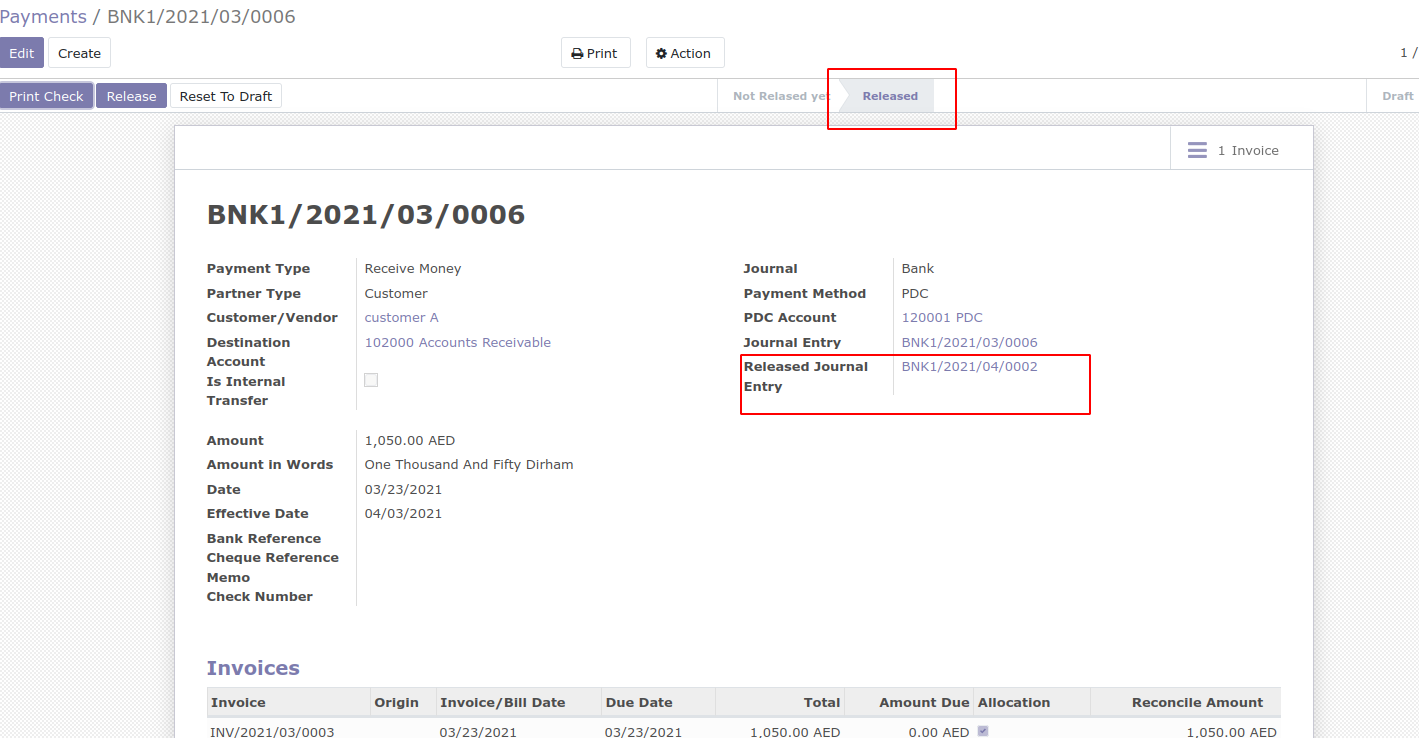
to the released state.
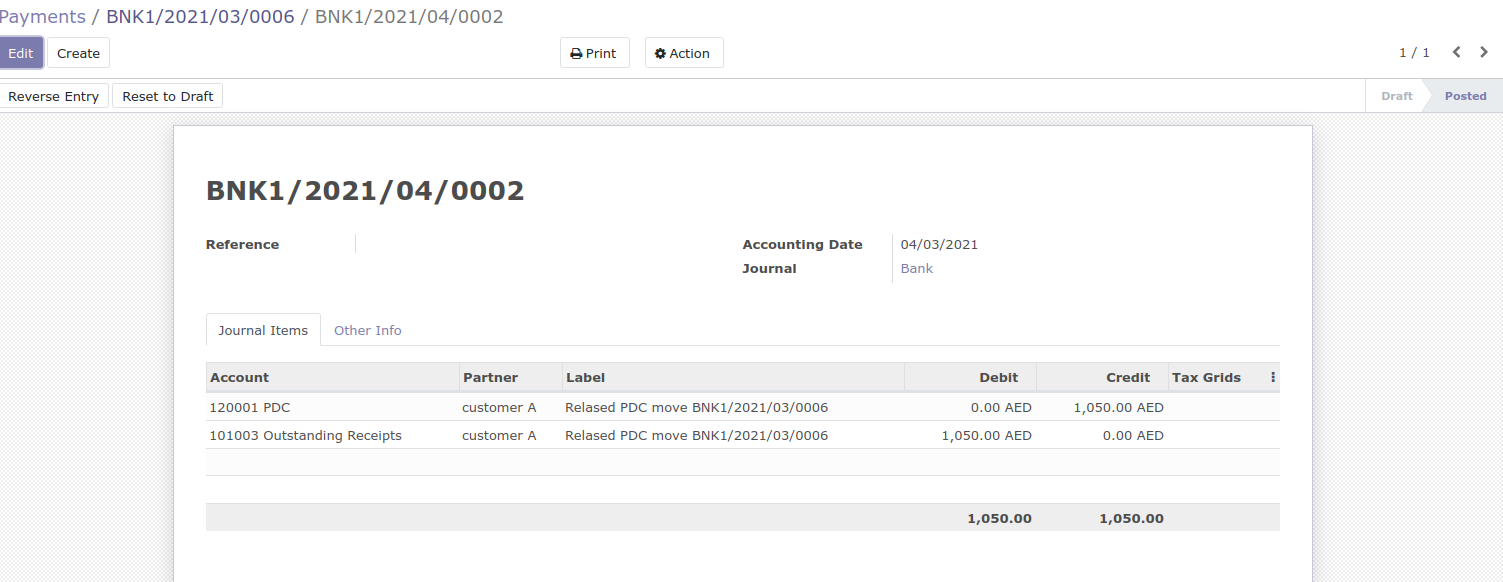
In the Released Journal Items you can see that the pdc account will be debited and the bank account will be credited.




Reviews
There are no reviews yet.