

Description
DOCUMENT REQUEST
Document Request HRMS is to help HR Departments and the Employees of organization
to avail the facilities provided by HR department in a self service manner. Be it leave applications
or letter issuance or any Certificates, A self service can serve the purpose of the employee without
taking an appointment in HR department or waiting in a queue of emails to be served. With the help of this module,
employee can request any confidential letters with few clicks.
Features
- Dynamic Templates to add or remove any Pre-formatted text.
- Levels of Approval for validating the documents.
- At each state , facility to preview the document
- Dynamic stamp and signature for each document template
How to use this module
 A separate menu named Document Request will be appeared, after installing this module.
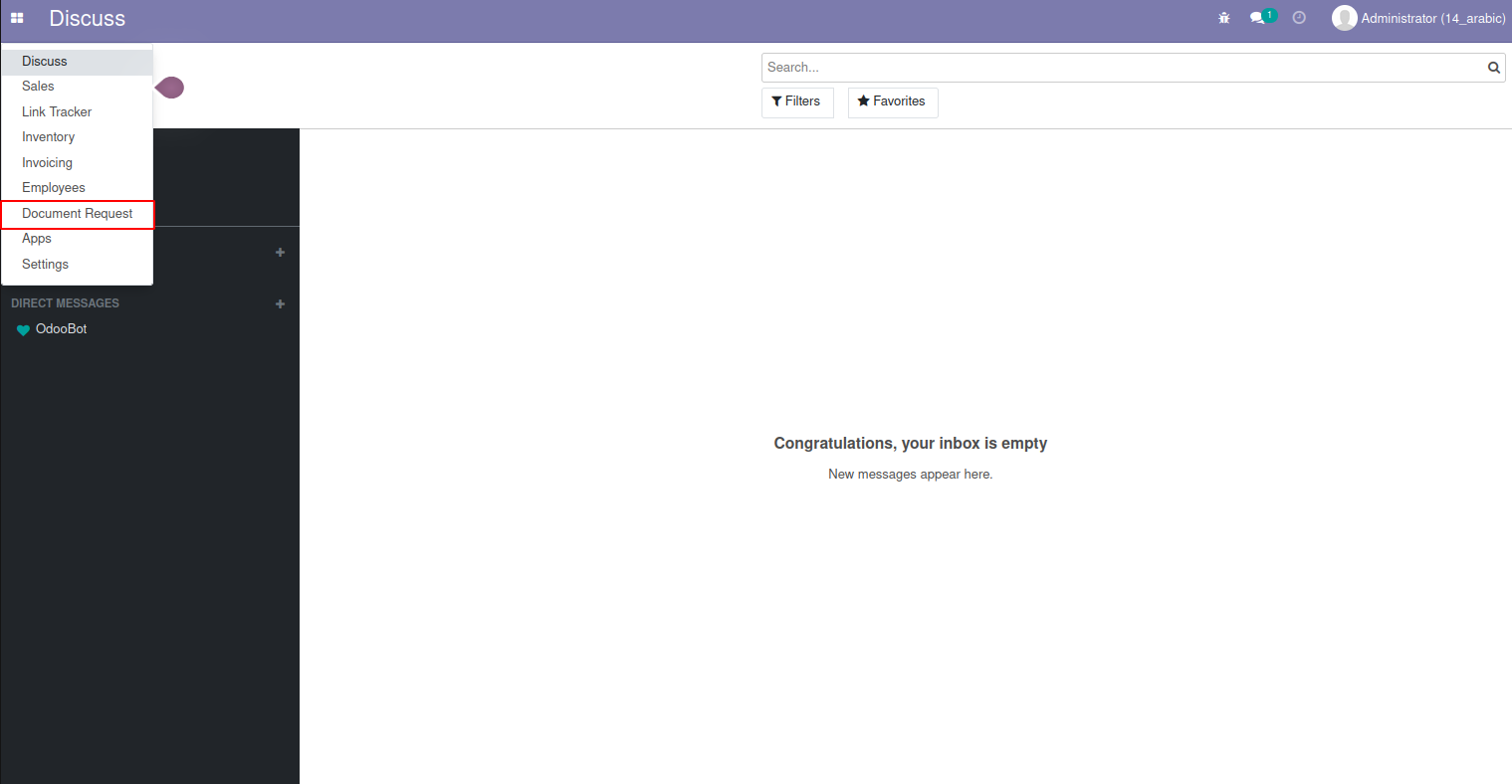
In configuration menu, you have option to define the template format. HR Managers have the access
to prepare the template formats. Here you can see two templates Experience Letter and NOC is been created.

to prepare the template formats. Here you can see two templates Experience Letter and NOC is been created.
In template configuration HR Manager can specify the schema of the output document and upload the company stamp
and HR manager name , so that when the final document gets printed, the document will have company stamp and
HR Manager signature.

and HR manager name , so that when the final document gets printed, the document will have company stamp and
HR Manager signature.
This is the template format for NOC.
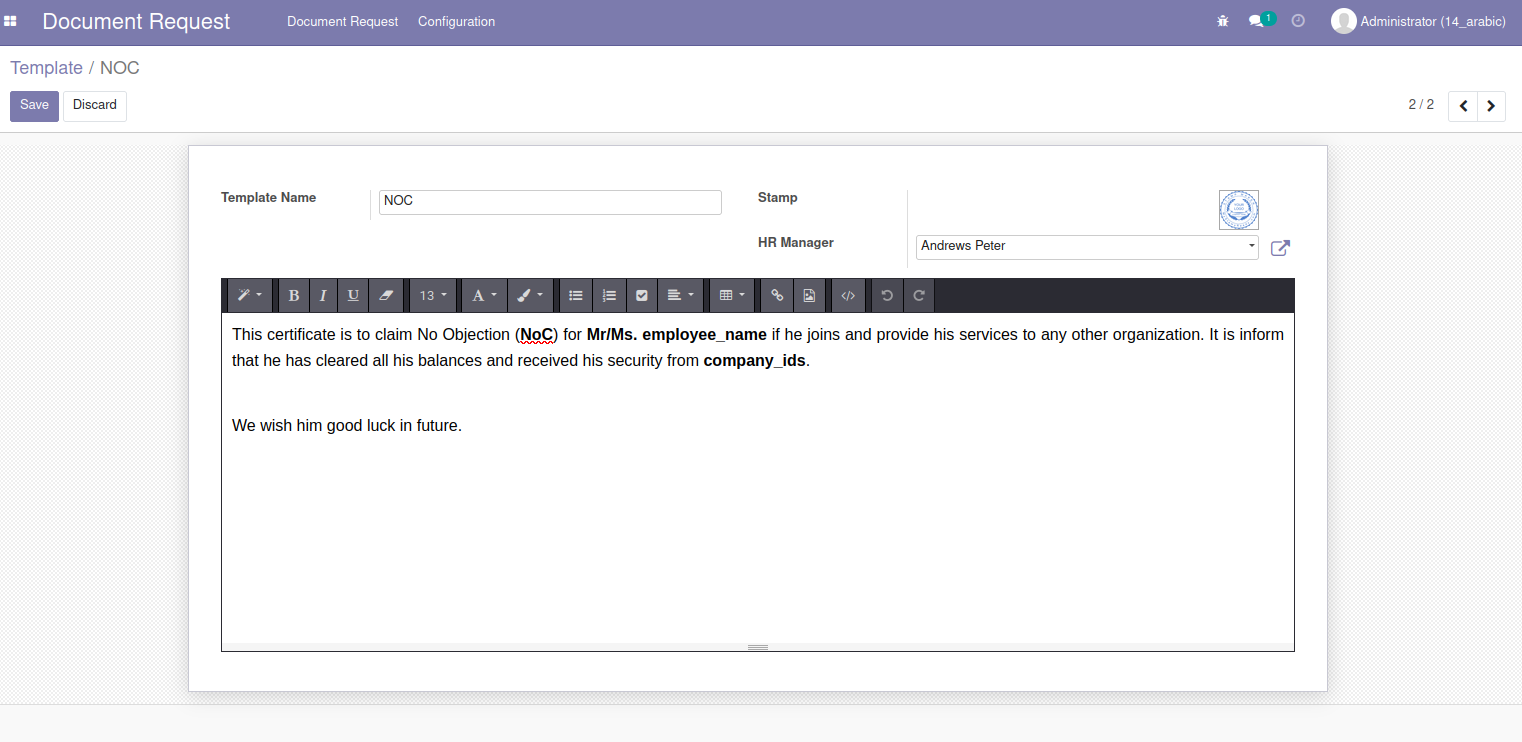
When user login into ESS, automatically Employee name and corresponding department manger will be displayed.
Document type can be Experience Letter, NOC which is based on the template that is defined in the configuration menu. Since, Experience letter is chosen, you will have to define the Last working date to calculate the period duration.
Based on the input entries, the template will be displayed along with employee name, designation, joining_date and end_date.
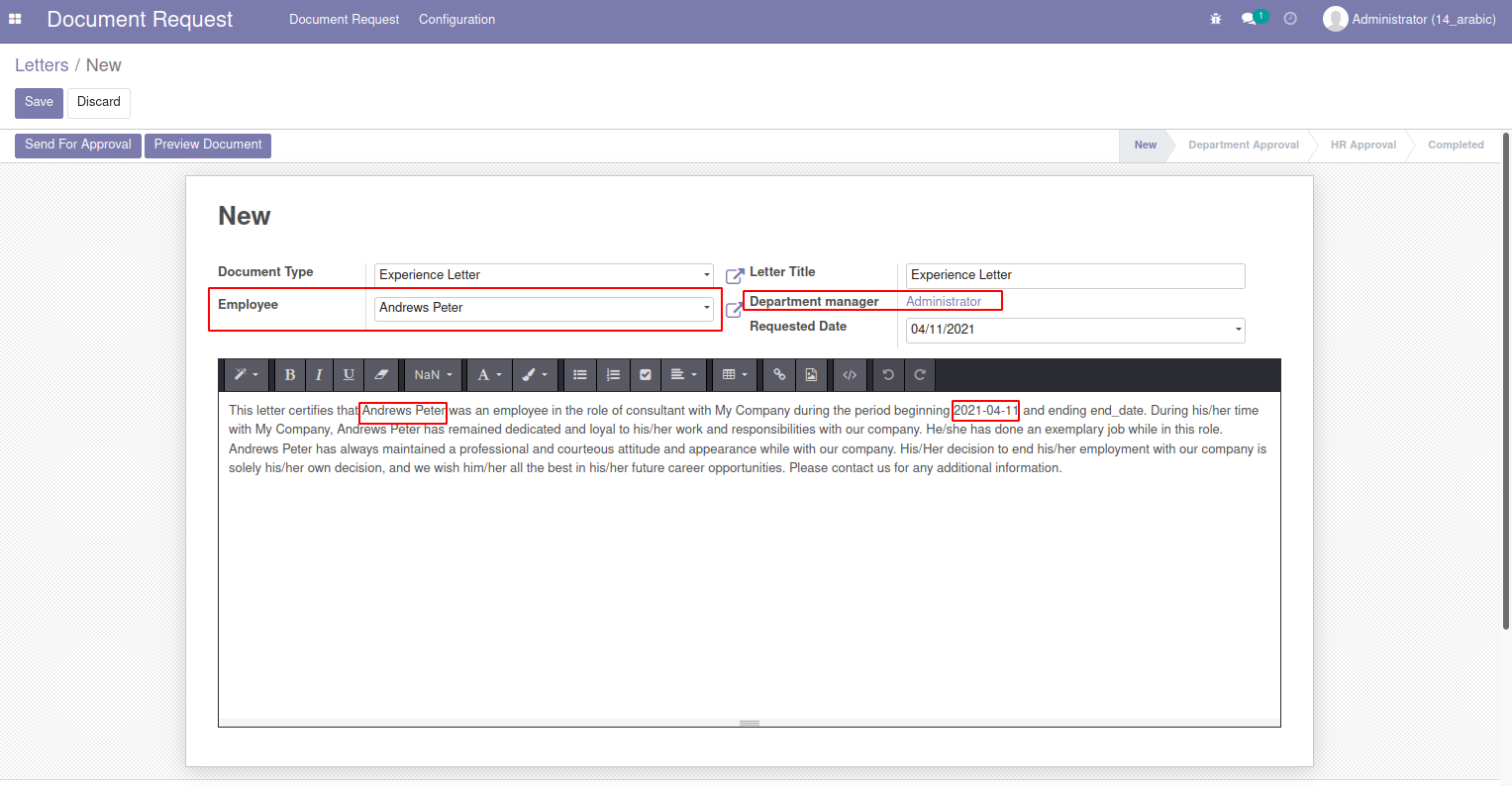
Document type can be Experience Letter, NOC which is based on the template that is defined in the configuration menu.
Since, Experience letter is chosen, you will have to define the Last working date to calculate the period duration.
Based on the input entries, the template will be displayed along with employee name, designation, joining_date and end_date.
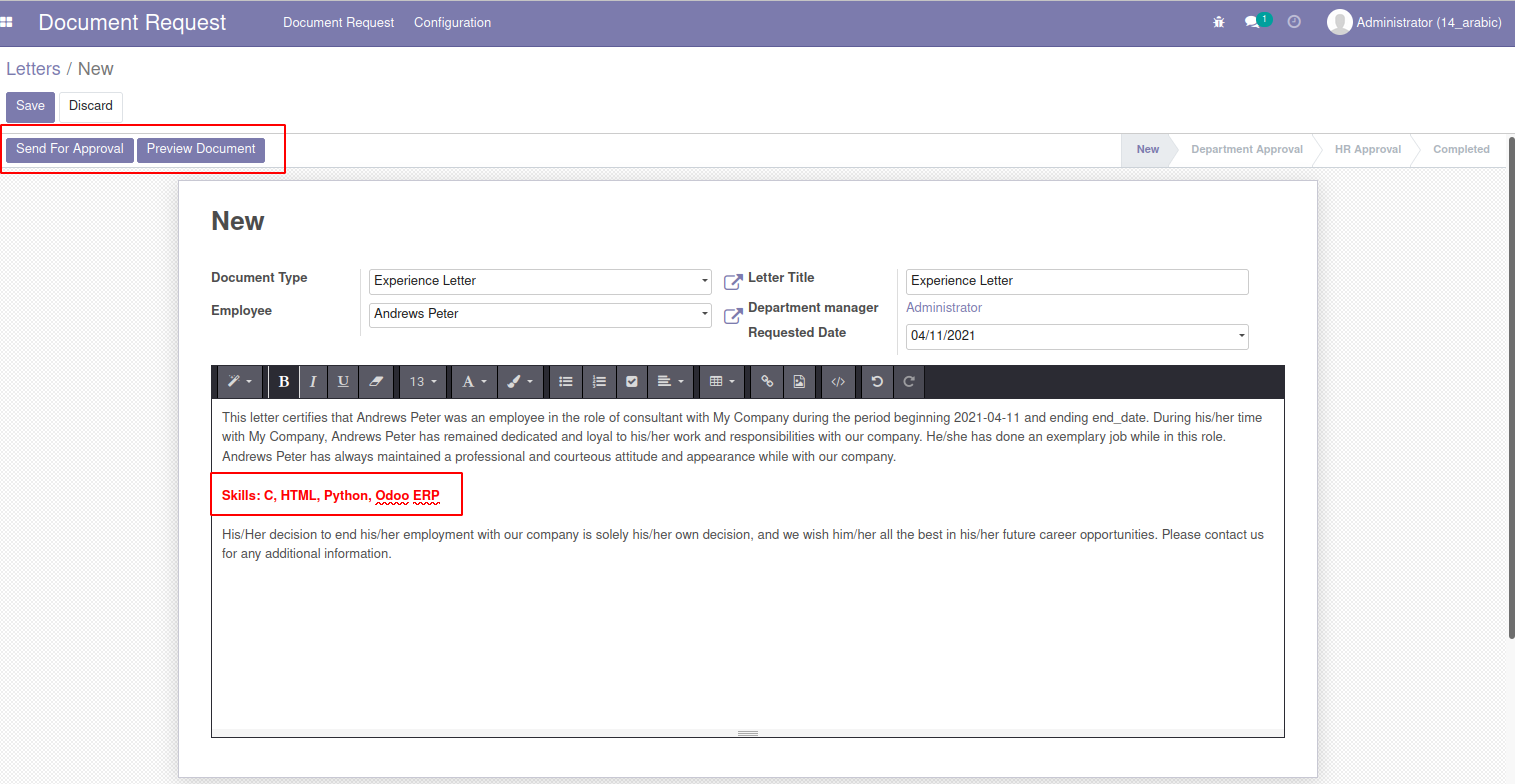
Employee can amend the document, if he wants to showcase his sills in the experience letter, he can add his project summary, skills or
any kind of information that will add value to the document.
any kind of information that will add value to the document.
After the changes, employee can preview the document and make sure everything is perfect and send it for approval.
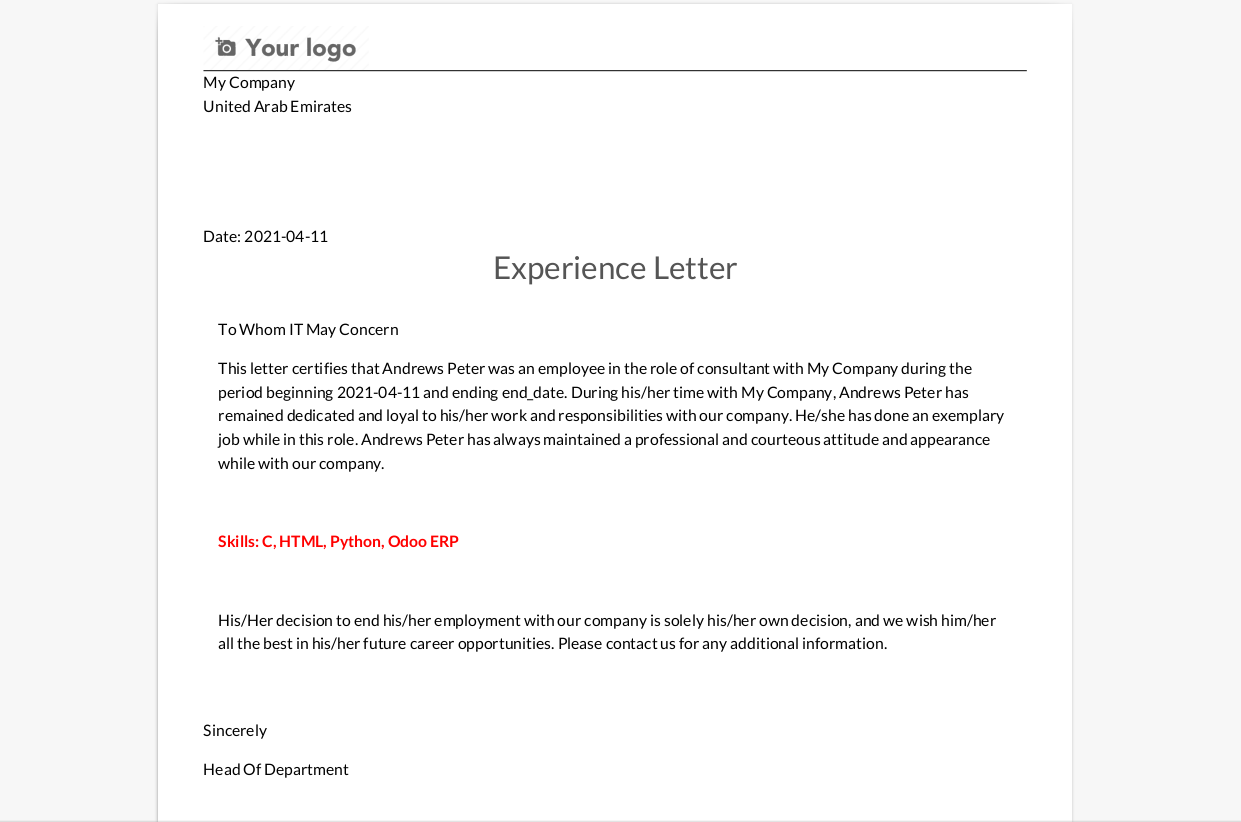
After employee moves the document for approval, the state will be changed to Department Approval state and the respective manager will be
responsible to approve the document.
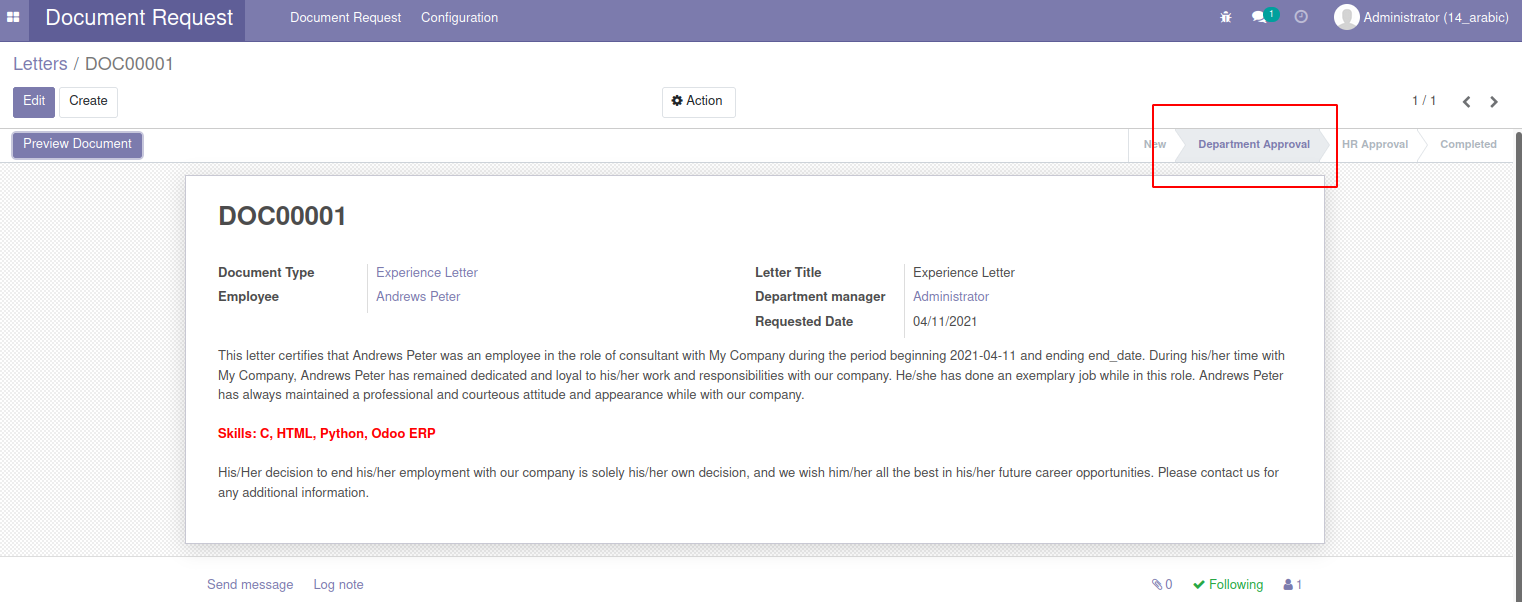
responsible to approve the document.
The concerned department manager will have authorization to verify and approve the document.
Similarly, he can also edit the document and can remove unnecessary information and add any comments if required.
Department manager can also preview the document and send it to HR approval for final verification.
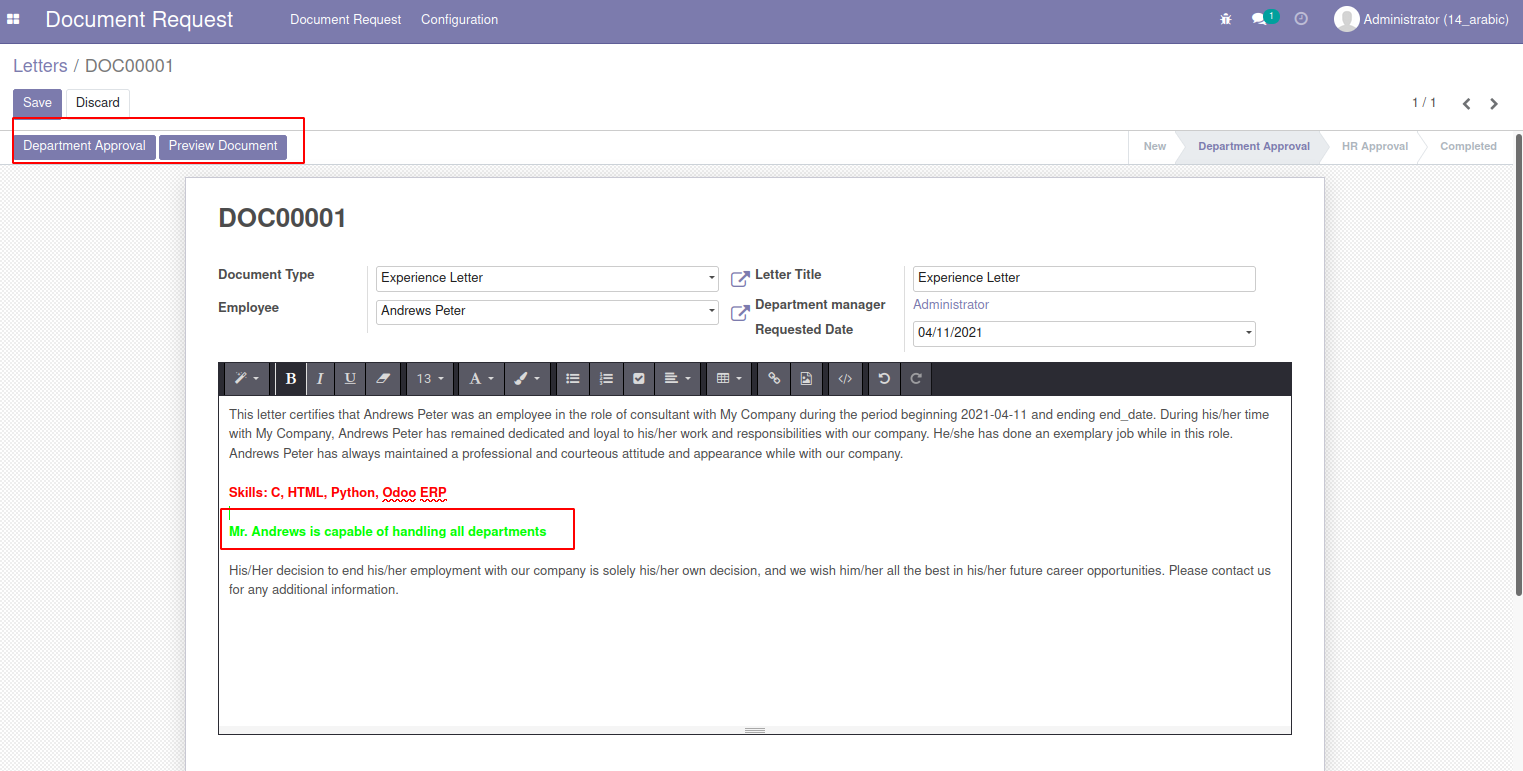
Similarly, he can also edit the document and can remove unnecessary information and add any comments if required.
Department manager can also preview the document and send it to HR approval for final verification.
After sending for HR approval the documents status will be changed to HR approval state.
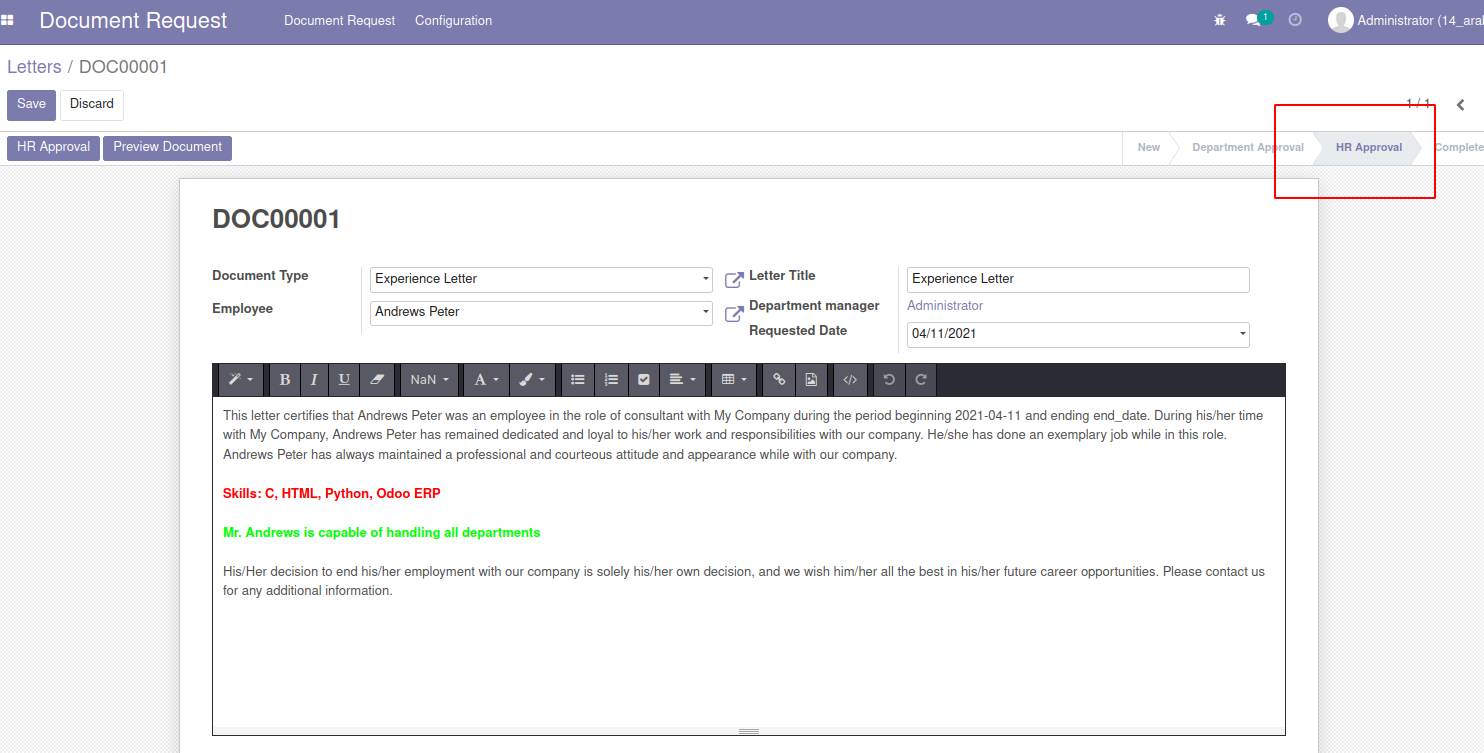
HR Manager, can review the document and do a final verification and if necessary, he can amend the document with his comments.
HR Manager can also preview the document structure and approve, if everything is perfect.

HR Manager can also preview the document structure and approve, if everything is perfect.
Once the HR Manager approves the document, the state will be changed to completed and HR can send
the document to the employee Email ID.

the document to the employee Email ID.
Email Pop-up window will be appeared in which the document is attached and can be send to the respective employee.
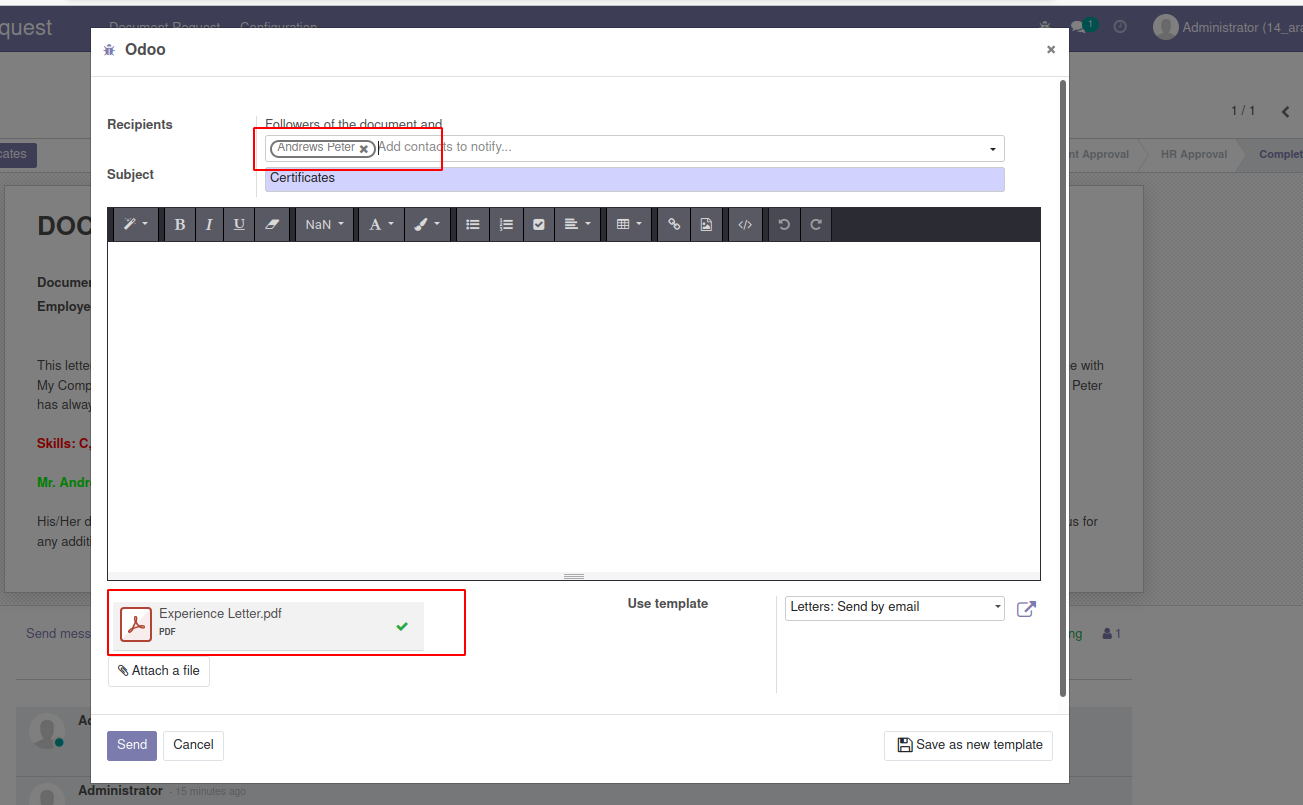
After HR approval, the document will be the final and it will contain the company stamp and HR Manger signature.
Employee can also Print Certificate from his/her user login screen.

Employee can also Print Certificate from his/her user login screen.
Template preview of NOC certificate.

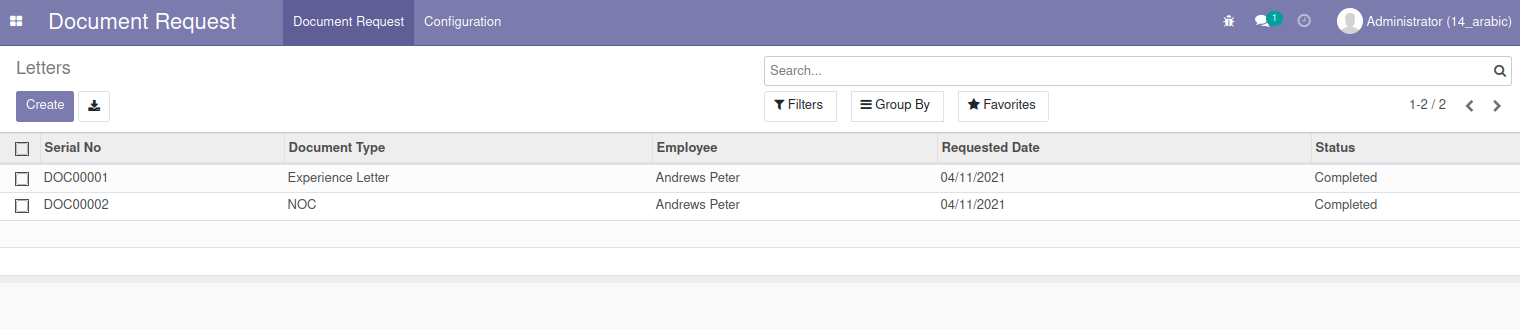
HR Manager can analyze the status of ESS along with employee name, Serial No, Document type and status of the document.





Reviews
There are no reviews yet.