
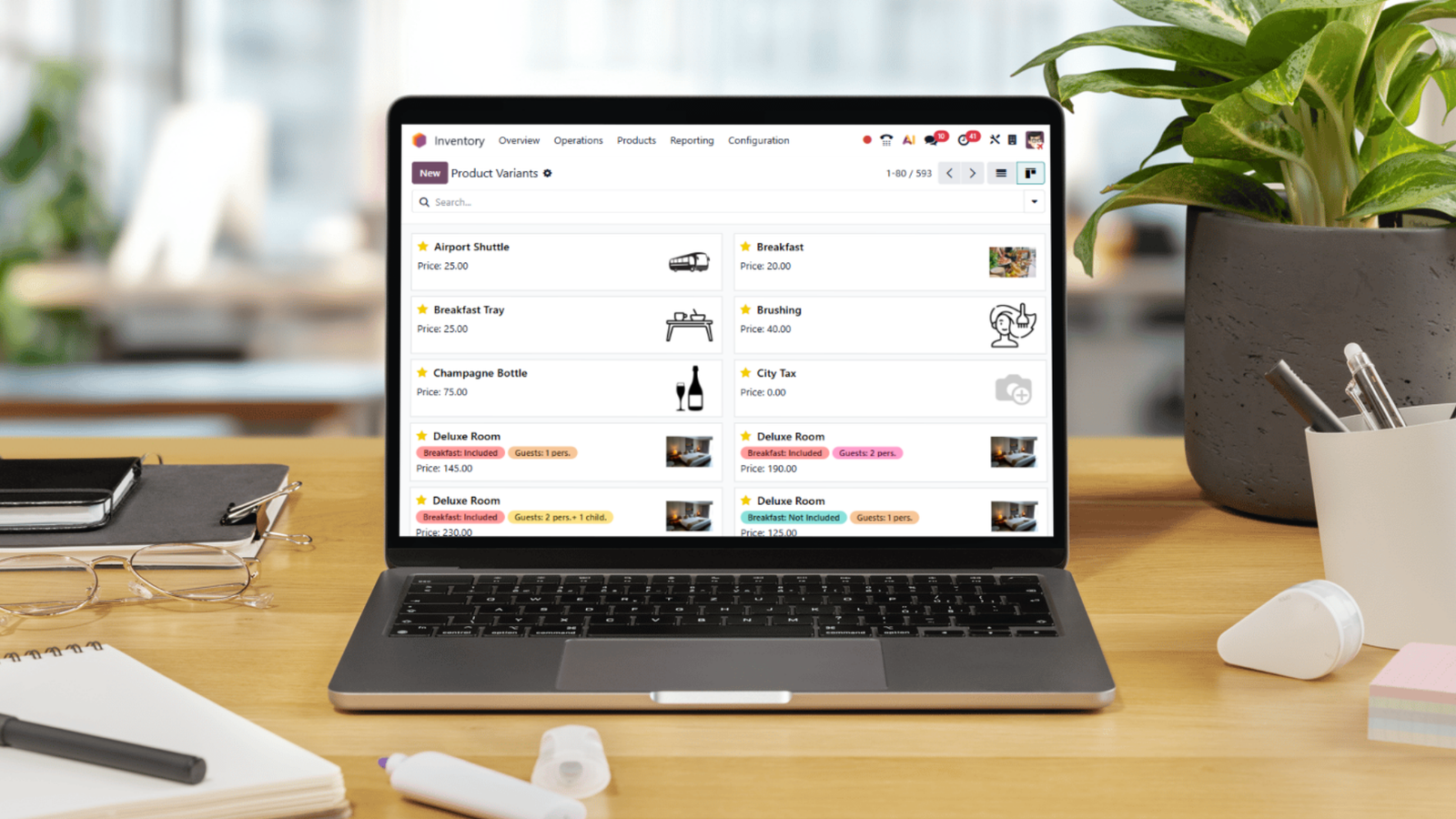
Modern businesses no longer operate within a single software ecosystem. Companies rely on multiple platforms for accounting, CRM, eCommerce, HR, logistics, marketing automation, payment gateways, and more.
The challenge? These systems often operate in isolation.
That’s where Odoo integration becomes critical.
Odoo is a powerful, modular ERP system designed to centralize business operations. However, its full potential is unlocked when connected seamlessly to third-party systems through robust API integration frameworks.
This comprehensive integration guide explains how Odoo connects with external platforms, the types of API integrations available, best practices, security considerations, and real-world use cases.
If your organization relies on multiple digital tools, this guide will help you design a scalable, secure, and future-ready Odoo integration strategy.
Why Odoo Integration Matters
Without integration, businesses experience:
- Manual data entry
- Inconsistent records across systems
- Delayed reporting
- Operational silos
- Increased human error
- Reduced efficiency
Odoo integration eliminates these challenges by enabling:
- Automated data synchronization
- Real-time updates
- Cross-platform workflow automation
- Centralized reporting
- Seamless system interoperability
When properly implemented, API integration transforms Odoo into the central command center of your organization.
Understanding Odoo Integration
What is Odoo Integration?
Odoo integration refers to connecting Odoo ERP with external systems to allow secure, automated data exchange.
These systems may include:
- Payment gateways (Stripe, PayPal)
- eCommerce platforms (Shopify, WooCommerce, Magento)
- Shipping providers (Aramex, DHL, FedEx)
- Accounting systems
- Banking APIs
- CRM platforms
- Marketing automation tools
- BI and analytics platforms
- Government portals
- IoT devices
Odoo integration ensures all platforms communicate effectively, eliminating operational gaps.
Understanding API Integration in Odoo

API integration is the technical foundation of most Odoo integrations.
What is an API?
An API (Application Programming Interface) allows two software systems to communicate and exchange data securely.
In Odoo, APIs allow:
- Creating records
- Updating information
- Deleting data
- Fetching reports
- Triggering workflows
Odoo supports multiple API protocols including:
- XML-RPC
- JSON-RPC
- RESTful APIs (via custom modules)
- External webhooks
API integration enables real-time communication between Odoo and third-party applications.
Types of Odoo Integration
1. Native Integration
Odoo offers built-in integrations for:
- Payment providers
- Shipping carriers
- Email servers
- SMS gateways
These require minimal configuration and are ideal for standard workflows.
2. Custom API Integration
When businesses use specialized platforms, custom API integration is required.
This involves:
- API endpoint configuration
- Authentication setup
- Data mapping
- Error handling
- Testing and validation
Custom integrations allow full flexibility tailored to unique operational needs.
3. Middleware Integration
Middleware tools act as intermediaries between Odoo and third-party systems.
Examples include:
- Zapier
- Make (Integromat)
- MuleSoft
- Dell Boomi
Middleware reduces development effort but may limit customization.
4. Direct Database Integration (Not Recommended)
Direct database manipulation is possible but discouraged due to:
- Data integrity risks
- Security vulnerabilities
- Upgrade conflicts
API integration remains the safest and most scalable approach.
Key Benefits of Odoo API Integration
Real-Time Data Synchronization
API integration ensures:
- Orders update instantly
- Inventory syncs automatically
- Customer records remain unified
- Financial reports reflect live data
This eliminates duplication and inconsistencies.
Process Automation
Odoo integration allows automated workflows such as:
- Automatically generating invoices after payment
- Triggering shipping labels after order confirmation
- Sending notifications to CRM after eCommerce purchases
- Syncing payroll with HR systems
Automation reduces operational costs significantly.
Improved Data Accuracy
Manual entry often results in:
- Duplicate records
- Incorrect pricing
- Inventory mismatches
- Financial discrepancies
API integration ensures data accuracy across platforms.
Scalability
As businesses grow, system complexity increases.
Odoo integration allows:
- Multi-warehouse synchronization
- Multi-company consolidation
- Cross-border eCommerce expansion
- Integration with new SaaS platforms
Scalable architecture prevents future bottlenecks.
Common Odoo Integration Use Cases

Odoo + eCommerce Integration
Connecting Odoo with Shopify or WooCommerce allows:
- Automatic order import
- Inventory synchronization
- Product updates
- Customer data consolidation
This is one of the most common API integration scenarios.
Odoo + Payment Gateway Integration
Payment API integration enables:
- Instant payment confirmation
- Automated invoice validation
- Reconciliation workflows
- Fraud detection triggers
Secure API authentication ensures compliance with financial standards.
Odoo + Shipping Carrier Integration
Shipping API integration allows:
- Real-time shipping rate calculation
- Tracking number generation
- Delivery status updates
- Automated logistics reporting
This improves customer satisfaction significantly.
Odoo + CRM Integration
Businesses using external CRMs can integrate:
- Lead synchronization
- Opportunity updates
- Customer lifecycle tracking
- Sales forecasting alignment
However, many organizations choose to migrate fully into Odoo CRM to avoid complexity.
Odoo + Business Intelligence Tools
Integration with BI platforms like Power BI or Tableau allows:
- Advanced analytics dashboards
- Custom KPI tracking
- Executive reporting
- Predictive modeling
API integration ensures continuous data flow into analytics systems.
Technical Architecture of Odoo Integration
A well-designed Odoo integration architecture includes:
- Authentication Layer
- API Gateway
- Data Mapping Logic
- Error Handling Mechanism
- Logging and Monitoring
- Security Encryption
Poor architecture results in system failures and data inconsistencies.
Security Considerations in API Integration
Security is critical in Odoo integration.
Best practices include:
- OAuth2 authentication
- Token-based access control
- HTTPS encryption
- IP whitelisting
- Role-based permissions
- Regular security audits
Sensitive data such as financial transactions must comply with GDPR and local regulations.
Best Practices for Successful Odoo Integration
1. Define Clear Objectives
Identify:
- What systems need integration
- What data must sync
- Sync frequency requirements
- Real-time vs batch processing
2. Clean Your Data First
Data inconsistencies create integration failures.
Perform:
- Data normalization
- Duplicate removal
- Field mapping validation
3. Use Standard APIs
Avoid unsupported custom hacks.
Stick to official API documentation and structured methods.
4. Implement Error Handling
Your API integration must:
- Log failures
- Retry failed transactions
- Send alert notifications
- Prevent duplicate records
5. Test in Staging Environment
Never deploy directly to production.
Conduct:
- Unit testing
- Load testing
- Security testing
- UAT validation
Challenges in Odoo Integration

While Odoo integration offers powerful automation and operational benefits, it also presents technical and strategic challenges. A successful API integration requires careful planning, strong architecture design, and ongoing monitoring.
Below are the most common challenges businesses face when implementing Odoo integration with third-party systems.
1. Version Compatibility Issues
One of the most overlooked challenges in Odoo integration is version compatibility.
Odoo releases major updates regularly (e.g., Odoo 16, 17, 18), and each version may introduce:
- Updated API structures
- Modified data models
- Deprecated methods
- Changed authentication protocols
When integrating third-party systems, compatibility must be verified across:
- Odoo version
- Third-party platform version
- Middleware tools
- Custom modules
If a third-party system updates its API without backward compatibility, integrations may fail unexpectedly.
To prevent disruption:
- Use stable API endpoints
- Document integration logic clearly
- Perform regression testing after upgrades
- Maintain version-controlled development environments
Proper upgrade planning ensures long-term stability in Odoo API integration projects.
2. API Rate Limits and Performance Constraints
Most third-party systems impose API rate limits to control traffic and prevent server overload.
For example, eCommerce platforms, payment gateways, and logistics providers often restrict:
- Number of API calls per minute
- Requests per hour
- Data payload sizes
If Odoo integration exceeds these limits, the system may experience:
- Failed transactions
- Delayed synchronization
- Temporary access blocks
- Data inconsistencies
To mitigate rate-limit issues:
- Implement queue systems
- Use batch processing when possible
- Design retry logic with exponential backoff
- Monitor API call usage
Performance optimization is critical, especially for high-volume businesses processing thousands of transactions daily.
3. Complex Data Structures and Mapping
Another significant challenge in API integration is data mapping.
Odoo uses structured models with relational fields such as:
- Many2one
- One2many
- Many2many
Third-party systems may structure data differently.
For example:
- Product attributes may not align
- Tax configurations may vary
- Customer data fields may differ
- Currency formats may conflict
Improper data mapping leads to:
- Duplicate records
- Incorrect pricing
- Inventory mismatches
- Reporting inaccuracies
Successful Odoo integration requires:
- Clear field mapping documentation
- Data transformation logic
- Validation rules
- Testing for edge cases
This is especially important in financial and inventory-related integrations where accuracy is critical.
4. Legacy System Limitations
Many organizations still operate legacy systems that were not designed for modern API integration.
Common limitations include:
- No REST API support
- Limited authentication methods
- Outdated security protocols
- Manual data export formats (CSV, Excel only)
Integrating such systems with Odoo often requires:
- Custom middleware development
- Scheduled batch imports
- Data transformation scripts
- Hybrid integration models
Legacy system integration increases complexity and requires experienced architecture planning to maintain stability.
5. Security and Compliance Risks
API integration introduces data exchange between systems — and with that comes security responsibility.
Improperly secured Odoo integration can result in:
- Unauthorized data access
- Financial data exposure
- Customer information leaks
- Regulatory violations
Security challenges include:
- Weak API key management
- Insecure authentication methods
- Insufficient encryption
- Lack of audit logging
To ensure secure Odoo API integration:
- Use HTTPS and SSL encryption
- Implement OAuth2 or token-based authentication
- Restrict API permissions by role
- Log and monitor API activity
- Conduct periodic security audits
For businesses operating in regulated environments (finance, healthcare, government), compliance requirements must be built directly into the integration framework.
6. Error Handling and Data Synchronization Conflicts
In real-world environments, API failures are inevitable.
Common causes include:
- Network interruptions
- Timeout errors
- Invalid payload structures
- Authentication expiration
- Server downtime
Without proper error handling mechanisms, these failures can create:
- Data mismatches
- Duplicate entries
- Missing transactions
- Broken workflows
A robust Odoo integration strategy must include:
- Automatic retry mechanisms
- Detailed error logging
- Notification alerts
- Conflict resolution rules
- Reconciliation reports
Reliable synchronization ensures data consistency across platforms at all times.
7. Scalability Challenges
As businesses grow, integration complexity increases.
More transactions mean:
- Higher API traffic
- Larger data volumes
- Increased processing load
If the initial integration architecture was not designed for scalability, businesses may face:
- Slower synchronization
- System timeouts
- Increased infrastructure costs
Scalable Odoo integration architecture should include:
- Cloud-based infrastructure
- Load balancing
- Modular API services
- Event-driven frameworks
- Asynchronous processing
Planning for scalability from the beginning prevents costly redesign later.
Minimizing Integration Risks
Although these challenges are real, they are manageable with:
- Structured technical planning
- Experienced API developers
- Thorough testing procedures
- Continuous monitoring
- Clear documentation
Odoo integration is highly powerful — but like any advanced ERP integration project, it requires expertise, discipline, and long-term strategy.
When executed correctly, API integration becomes a competitive advantage rather than a technical obstacle.
Cloud vs On-Premise Integration
Cloud-Based Odoo Integration
Advantages:
- Faster deployment
- Easier API management
- Lower infrastructure costs
- Global accessibility
On-Premise Integration
May be required for:
- Government-regulated industries
- High-security environments
- Internal legacy systems
Each approach requires different API architecture considerations.
Future of Odoo Integration
The future of Odoo integration includes:
- AI-powered workflow automation
- Event-driven architecture
- Real-time webhook frameworks
- Blockchain-based verification
- IoT device connectivity
- Serverless cloud functions
As businesses demand faster data exchange, API integration strategies will become even more critical.
Choosing the Right Odoo Integration Partner

Implementing Odoo integration is not just a technical task — it is a strategic business decision. A poorly executed API integration can lead to data inconsistencies, security vulnerabilities, workflow disruptions, and long-term scalability issues.
To ensure success, businesses must carefully select an integration partner with both technical expertise and operational understanding.
Below are the key criteria to evaluate when choosing the right Odoo integration partner.
1. Deep Technical API Expertise
Odoo integration relies heavily on secure and structured API integration. Your partner must have strong experience in:
- Odoo XML-RPC and JSON-RPC APIs
- RESTful API development
- Webhooks and event-driven architecture
- OAuth2 authentication and token management
- Middleware integration frameworks
- Cloud-based API orchestration
Beyond basic connectivity, integration experts must understand:
- Rate limiting
- Error handling mechanisms
- Retry logic frameworks
- Logging and monitoring systems
- Data transformation and mapping
A technically strong partner ensures your Odoo API integration is stable, scalable, and secure from day one.
2. ERP Process Understanding
Technical skill alone is not enough.
Odoo integration impacts core business processes including:
- Sales and CRM workflows
- Inventory and warehouse management
- Procurement and supplier coordination
- Accounting and financial reconciliation
- Manufacturing and MRP operations
- HR and payroll systems
An integration partner must understand ERP logic, dependencies between modules, and cross-department workflows.
For example:
If eCommerce orders sync incorrectly with accounting modules, revenue reporting becomes inaccurate.
If inventory synchronization fails, stock discrepancies damage customer trust.
A qualified Odoo integration partner designs integrations that support operational integrity — not just data exchange.
3. Security and Compliance Knowledge
API integration introduces potential security risks if not handled properly.
Your integration partner should implement:
- HTTPS encryption
- Secure API key management
- Role-based access controls
- IP restrictions
- Audit logging
- Compliance with data protection regulations
For businesses operating in regulated industries — such as finance, healthcare, or government sectors — compliance requirements must be built into the integration architecture from the beginning.
Security is not an afterthought. It is foundational to successful Odoo integration.
4. Structured Testing and Deployment
Professional API integration projects follow a structured lifecycle:
- Requirement analysis
- Technical architecture planning
- Sandbox development
- Unit testing
- Load and stress testing
- User Acceptance Testing (UAT)
- Staged deployment
- Post-launch monitoring
Skipping testing phases increases the risk of production failures.
A reliable Odoo integration partner ensures every data flow is validated before going live.
5. Scalability and Future-Proof Architecture
Business needs evolve. Integrations must evolve with them.
Your Odoo integration partner should design:
- Modular integration architecture
- Flexible API endpoints
- Scalable cloud infrastructure
- Easy addition of new third-party systems
This ensures that as your company grows — adding new platforms, expanding internationally, or increasing transaction volumes — your integration framework remains stable.
6. Ongoing Support and Optimization
Integration is not a one-time project.
Third-party platforms update APIs.
Security standards change.
Business processes evolve.
A long-term Odoo integration partner provides:
- Continuous monitoring
- Performance optimization
- API updates and version control
- Troubleshooting and support
- System upgrades compatibility
Without ongoing maintenance, integrations degrade over time.
Why Businesses Trust APPSGATE for Odoo Integration
When it comes to professional Odoo integration and API integration, choosing an experienced implementation partner makes a measurable difference.
APPSGATE, an Odoo Partner, specializes in delivering secure, scalable, and high-performance Odoo integration solutions across the UAE and beyond.
With extensive experience in ERP implementation and business transformation, APPSGATE provides:
- Custom Odoo API integration
- Third-party system integration (eCommerce, payment gateways, logistics, CRM, BI tools)
- Middleware integration solutions
- Cloud-based ERP connectivity
- Secure authentication and compliance-focused architecture
- Data migration and system synchronization
- Post-deployment support and optimization
What differentiates APPSGATE is the combination of:
✔ Technical API expertise
✔ Deep ERP process understanding
✔ Industry-specific customization
✔ Structured project management
✔ 100% project success rate
Rather than offering generic integrations, APPSGATE designs tailored Odoo integration architectures aligned with each client’s operational model, growth strategy, and digital transformation goals.
For organizations in manufacturing, retail, real estate, healthcare, education, and service industries, APPSGATE ensures seamless interoperability between Odoo and third-party systems — creating a unified digital ecosystem.
Conclusion
Odoo integration is no longer optional in modern digital ecosystems. Businesses operate across multiple platforms, and seamless API integration ensures operational harmony.
Whether connecting eCommerce platforms, payment gateways, shipping carriers, or BI tools, Odoo integration enables:
- Real-time synchronization
- Automation
- Improved accuracy
- Enhanced reporting
- Scalable growth
The key to success lies in structured architecture, secure API design, and strategic planning.
A well-executed Odoo API integration transforms ERP from a standalone system into a fully connected digital backbone.