

Bill of Materials
A Bill of Materials (BOM) is the backbone of any manufacturing operation. It defines the components, raw materials, and processes required to produce a finished product. In Odoo Manufacturing, the BOM plays a central role in production planning, costing, inventory management, and procurement.
This tutorial explains what an Odoo BOM is, how to set it up, and best practices for an efficient manufacturing setup in Odoo.
Bill of Materials in Odoo
What Is a Bill of Materials (BOM) in Odoo?
In Odoo, a Bill of Materials (BOM) is a structured list of components, quantities, and operations needed to manufacture a product. It connects the product to its raw materials and production workflow.
Odoo BOM is used to:
- Generate manufacturing orders
- Reserve raw materials
- Calculate production costs
- Plan procurement and inventory replenishment
- Track product traceability
Without a properly configured BOM, Odoo Manufacturing cannot function effectively.
Types of BOMs in Odoo
Bill of Materials in Odoo
Odoo supports multiple BOM types to suit different manufacturing strategies:
1. Manufacturing BOM
This is the standard BOM used for producing products in-house. It includes raw materials, routing steps, and work centers.
2. Kit (Phantom) BOM
Kit BOMs are used for bundled products that are assembled virtually (e.g., product bundles sold together but not manufactured).
3. Subcontracting BOM
Used when production is outsourced to subcontractors. Odoo automatically manages raw material supply and subcontracting costs.
Step-by-Step Odoo BOM Setup Tutorial
Bill of Materials in Odoo
Step 1: Enable Manufacturing Features in Odoo about Bill of Materials
Before creating a BOM, ensure the Manufacturing module is installed.
Go to:
Apps → Install Manufacturing (MRP)
Then configure settings:
Manufacturing → Configuration → Settings
Enable:
- Work Orders
- Routings
- Byproducts
- Subcontracting (if needed)
This prepares your Odoo manufacturing setup for BOM creation.
Step 2: Create Products and Raw Materials
Before creating a BOM, you must define:
- Finished product
- Raw materials
- Semi-finished components (if any)
Go to:
Inventory → Products → Create
For each product, define:
- Product type (Storable Product)
- Sales price and cost
- Units of Measure
- Inventory tracking (Lot/Serial if required)
This ensures accurate inventory and costing in Odoo.
Step 3: Create a Bill of Materials (BOM)
Bill of Materials in Odoo
Navigate to:
Manufacturing → Products → Bills of Materials → Create
Fill in the following fields:
Product
Select the finished product this BOM applies to.
BOM Type
Choose:
- Manufacturing
- Kit
- Subcontracting
Quantity
Define the quantity produced by this BOM (e.g., 1 unit, 10 units).
BOM Lines (Components)
Add raw materials and quantities required to produce the finished product.
Example:
- Steel Sheet – 2 units
- Screws – 10 units
- Plastic Cover – 1 unit
Step 4: Configure Routing and Operations (Optional but Recommended)
Routing defines the manufacturing steps required to produce the product.
Go to:
Manufacturing → Configuration → Routings → Create
Define:
- Operation name (Cutting, Assembly, Painting, Packaging)
- Work Center (Machine or Department)
- Duration and capacity
- Cost per hour
Attach the routing to the BOM to enable work orders and production scheduling.
This is essential for advanced manufacturing setups in Odoo Bill of Materials in Odoo.
Step 5: Add Byproducts and Scrap (Advanced)
Odoo allows defining byproducts (secondary outputs) and scrap rules.
For example:
- Sawdust as a byproduct in wood manufacturing
- Scrap rate for quality control
This helps in accurate costing and waste tracking.
Step 6: Configure Subcontracting (If Applicable)
If production is outsourced:
- Set BOM type to Subcontracting
- Define subcontractor and supplied materials
- Configure subcontracting routes
Odoo will automatically generate subcontracting orders and manage inventory movements.
Step 7: Test the BOM with a Manufacturing Order
Go to:
Manufacturing → Operations → Manufacturing Orders → Create
Select the product and BOM.
Odoo will automatically:
- Reserve raw materials
- Generate work orders
- Calculate production cost
Confirm and mark the order as Done to test the workflow.
Key Features of Odoo BOM for Manufacturing Setup
Multi-Level BOM (Nested BOMs)
Odoo supports multi-level BOMs for complex products with sub-assemblies. This is essential for electronics, machinery, and automotive industries.
Variant BOMs
You can create different BOMs for product variants (size, color, configuration). Odoo automatically selects the correct BOM during production.
Version Control
Odoo allows multiple BOM versions, enabling engineering changes without disrupting ongoing production.
Cost Roll-Up
Odoo calculates product cost based on:
- Raw materials
- Labor
- Overhead
- Work center costs
This provides accurate product profitability analysis.
Best Practices for Odoo BOM Setup
1. Standardize Product and Material Codes
Use consistent naming and SKU structures for products and raw materials to avoid confusion.
2. Define Accurate Quantities and Units
Incorrect units of measure can cause procurement errors and production shortages.
3. Use Routings for Cost Accuracy
Without routings, labor and machine costs are not included in product costing.
4. Maintain BOM Version History
Track engineering changes with versioned BOMs to maintain traceability.
5. Integrate BOM with Inventory and Procurement
Ensure reorder rules and vendor lead times are configured to avoid material shortages.
Common Mistakes in Odoo BOM Implementation
❌ Not Defining Work Centers
This results in inaccurate production planning and capacity management.
❌ Ignoring Scrap and Yield
Without scrap tracking, production cost calculations will be inaccurate.
❌ Poor Data Migration
Incorrect product and material data leads to planning and costing errors.
❌ No User Training
Operators and planners must understand how to use BOMs, work orders, and inventory flows.
Odoo BOM vs Traditional Manufacturing Systems
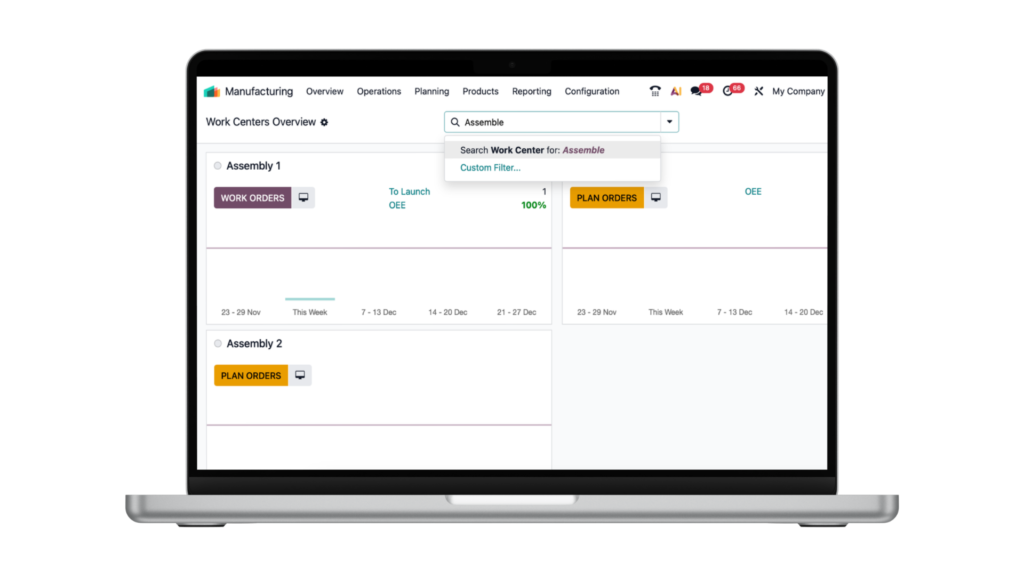
Traditional manufacturing systems often require separate tools for BOM management, costing, and scheduling. Odoo integrates everything in one platform, providing:
- Real-time inventory updates
- Automatic procurement
- Integrated accounting
- End-to-end traceability
This makes Odoo BOM management ideal for modern digital manufacturing setups.
Use Cases of Odoo BOM in Manufacturing
Odoo BOM is widely used in:
- Electronics assembly
- Furniture manufacturing
- Construction materials
- Food and beverage production
- Packaging and printing
- Automotive spare parts
Its flexibility makes it suitable for both discrete and process manufacturing.
Conclusion: Why Odoo BOM Is Critical for Manufacturing Success
A well-structured Odoo BOM is the foundation of efficient manufacturing operations. It connects products, materials, processes, and costs into one unified system. By properly configuring BOMs, companies can automate production planning, improve cost control, and ensure traceability across the supply chain.
For businesses implementing Odoo Manufacturing, investing time in a structured manufacturing setup with accurate BOM configuration will significantly improve productivity, reduce errors, and maximize ROI.
Bill of Materials (BOM) by Odoo – How APPSGATE Can Help

A Bill of Materials (BOM) in Odoo is a structured list of raw materials, components, and operations required to manufacture a finished product. With Odoo’s Manufacturing module, businesses can create single-level or multi-level BOMs, define routing operations, manage work centers, and control production costs with precision. Odoo also supports version control, product variants, subcontracting, and real-time inventory updates, ensuring accurate material planning and reduced wastage.
APPSGATE helps businesses in the UAE implement and customize Odoo Bill of Materials according to their manufacturing processes. Our experts analyze your production workflow, configure multi-level Bill of Materials structures, set up work orders, and automate procurement based on demand forecasts. We ensure seamless integration between inventory, purchase, accounting, and manufacturing modules for complete operational visibility.
With APPSGATE’s Odoo expertise, you gain accurate cost tracking, improved production planning, minimized material shortages, and enhanced quality control. From system setup and data migration to user training and ongoing support, APPSGATE ensures your Odoo Manufacturing and BOM management run efficiently and align with UAE compliance standards.
